Buy now, pay later on Shopify: does Afterpay or Shop Pay Installments lift sales?
What the best study says, which option to pick, how to set it up, where to show it, and how to check it pays for its fees.

By Nicolas Fradet, founder of FunnelSpark · 16 years in CRO, 1,000+ A/B tests
Updated Nov 14, 2026 · 8 min read
The short answer
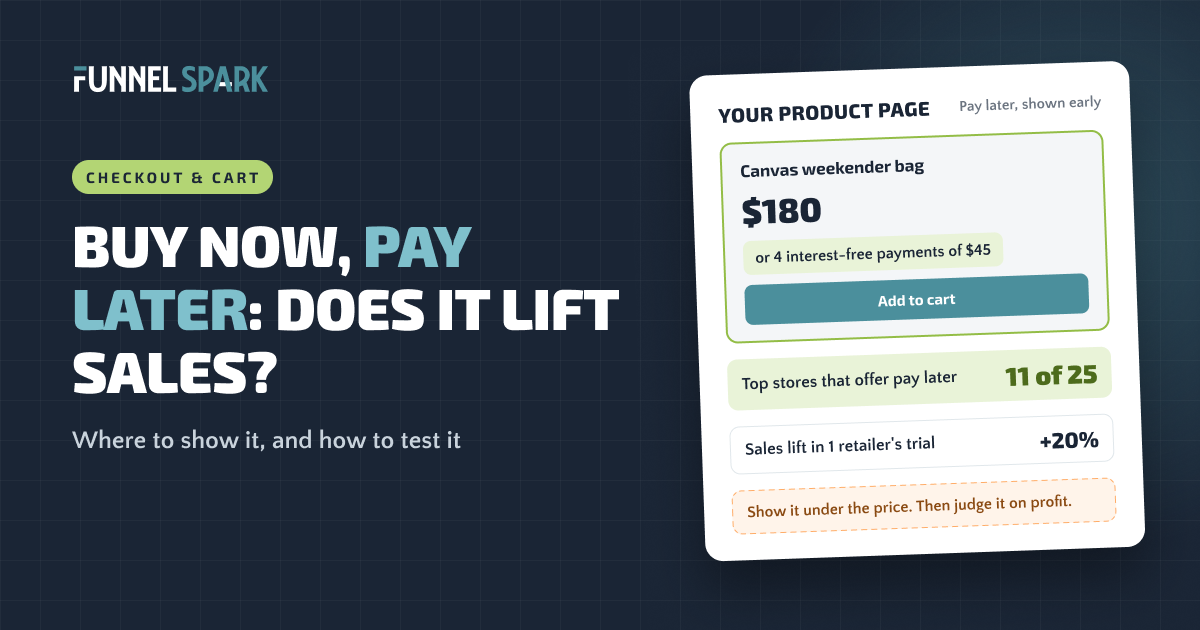
Often, yes, mostly on bigger orders. In a randomized trial at a German online furniture store, offering pay later raised sales by about 20%. 11 of the 25 top stores we broke down offer it. On Shopify, turn on Shop Pay Installments or add Afterpay, show the payment line under your price, then judge it on profit per visitor.
What is buy now, pay later?
Buy now, pay later (BNPL) lets a shopper split an order into smaller payments. The most common version is "pay in 4": a quarter today, then the rest every 2 weeks, with no interest. Some providers also offer monthly plans for bigger orders, and those can charge interest.
You get paid up front: the provider pays you the full amount, minus its fee, and collects from the shopper. So the real question is: will enough extra people buy, or buy more, to cover a fee that's usually higher than a card payment?
Does buy now, pay later increase sales?
Most numbers you'll find come from the BNPL companies. The best outside answer we know of is a study by Tobias Berg, Valentin Burg, Jan Keil and Manju Puri in the Journal of Financial Economics. A German online furniture store offered pay later to most shoppers and hid it from a small control group.
more sales when the store offered pay later, in a randomized trial at one German online furniture store. About 13% more orders, and baskets 4% to 8% bigger. Source: Berg, Burg, Keil and Puri, NBER working paper 33152, later published in the Journal of Financial Economics.
Two catches. The lift came mostly from shoppers with weaker credit. And pay later took share from cheaper methods: PayPal use fell 24 percentage points, so some orders that would have happened anyway now cost more in fees. It's also one store selling big-ticket furniture. A store selling $25 candles shouldn't expect the same jump.
Baymard Institute also found that 9% of US shoppers who abandoned a checkout left because there weren't enough payment methods, far behind extra costs (40%). Our guide to reducing cart abandonment covers the bigger ones.
When pay later helps (and when it doesn't)
Of the 25 top stores we broke down page by page, 11 offer pay later: SKIMS, Culture Kings, Frank & Oak, Venus et Fleur, Blackstone, Crocs, Steve Madden, Oh Polly, Cambridge Satchel, Kylie Cosmetics and Killstar. It's mostly fashion, gifts and bigger-ticket items, where "is it worth that much?" stops people.
- It tends to help when orders are big enough that splitting them feels like a relief, and the purchase is a "want" shoppers are talking themselves into.
- It helps less when most orders are small or people buy on repeat (refills, coffee, supplements).
- Watch out when margins are thin. Higher fees on orders you'd have got anyway can eat the gain.
Pay later doesn't make your product cheaper. It makes the price easier to say yes to. That's why it does the most for your bigger orders, and why it belongs right under the price, not hidden at the last step.
Shop Pay Installments vs Afterpay vs Klarna on Shopify
Which option you can use depends mostly on where your business is. Terms change, so check the linked pages before you decide.
The 3 pay later options most Shopify stores look at
| Shop Pay Installments | Afterpay | Klarna (via Shopify Payments) |
|---|---|---|
| Stores that can use it | ||
| US, Canada, UK; Australia in early access. Shopify Payments and Shop Pay must be on. | US, Canada, Australia, New Zealand. In the UK it's called Clearpay. | Stores in the UK and many European countries, with Shopify Payments. |
| What shoppers get | ||
| US: pay in 4 every 2 weeks on $50 to $999.99, monthly plans from $150 up to $30,000 (0% to 36% APR). | Pay in 4 over 6 weeks, interest-free. Monthly plans over 6 to 12 months. | Pay in 30 days, pay in 3, pay in full or financing, depending on the shopper. |
| How you add it | ||
| Settings > Payments, in your Shopify Payments settings. | Install the Afterpay app and connect your Afterpay account. | Settings > Payments, in your Shopify Payments settings. |
Sources: Shopify Help Center pages on eligibility, payment options and Klarna; Afterpay's Shopify guide and Shopify page. We left out fees on purpose: ask each provider for your rate.
Which to pick? If you're in the US, Canada or the UK and use Shopify Payments, Shop Pay Installments is the easiest start: nothing to install. Add Afterpay if your shoppers already know it. Steve Madden and Cambridge Satchel show 2 brands side by side.
How to add Afterpay or Shop Pay Installments to Shopify
Shop Pay Installments
- Check you qualify. You need Shopify Payments and Shop Pay turned on, a business in a supported country, and your store selling in that country's currency. B2B-first and password-protected stores can't use it.
- Turn it on. Go to Settings > Payments, click Manage in the Shopify Payments section, select Shop Pay Installments in the Shop Pay section, and save (Shopify's steps).
- Check your product page. Themes installed after January 31, 2022 may already show the banner under the price. If not, Shopify's product banner guide gives the one line of code to add.
- Add the cart banner. It sits under the subtotal and takes a short code snippet (Shopify's guide). Duplicate your theme first.
Afterpay
- Open an Afterpay merchant account in the same region as your store address and currency.
- Install the Afterpay app from the Shopify App Store, connect it to your Afterpay account, and click Activate. Leave test mode off (Afterpay's setup guide says it breaks the connection).
- Turn on on-site messaging so the "4 payments of…" line shows on product and cart pages, then check that Afterpay appears at checkout.
Where to show pay later on your store
A common mistake: pay later only appears at the payment step. By then, the shopper has already decided whether the price feels OK. Show it where that decision happens.
Where shoppers should see "pay later"
1. Product page
Right under the price
$180
or 4 interest-free payments of $45
This is where shoppers ask "is it worth it?"
10 of the 11 top stores with pay later show it here
2. Cart
Under the total
Total $180
or 4 payments of $45
A reminder before checkout.
2 of the 11 show it here
3. Checkout
As a payment method
Shop Pay Installments, Afterpay…
Shows up once it's on. Alone, it comes too late.
Needed, but not enough
On the product page: right under the price
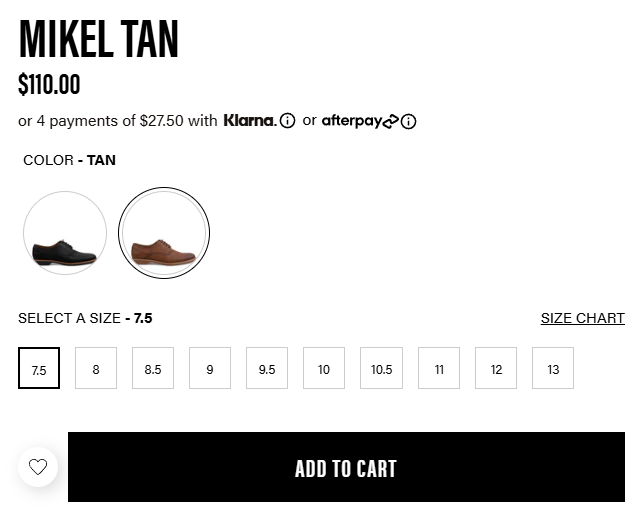
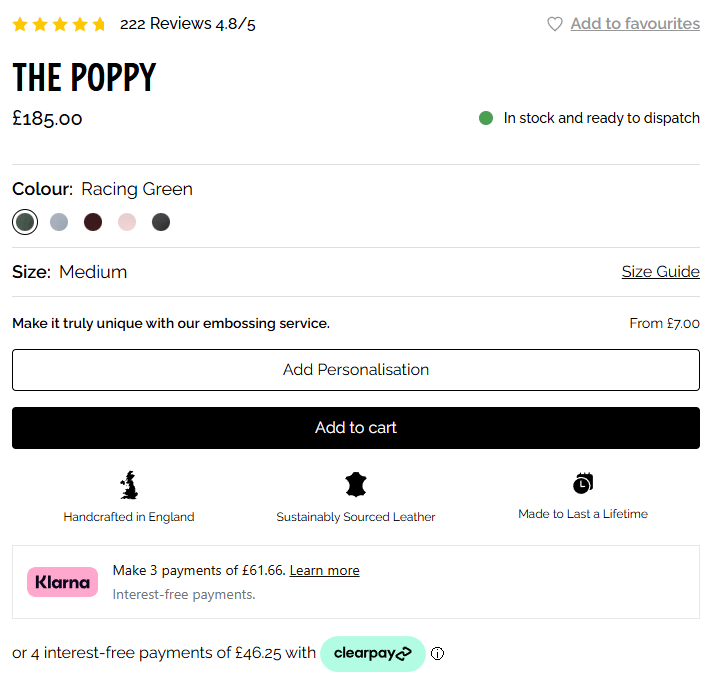
One short line under the price: a $180 bag reads "or 4 interest-free payments of $45". Steve Madden and Cambridge Satchel show 2 plans, so shoppers can pick the brand they use. Crocs shows an Afterpay line right under its sale price (see our Crocs breakdown).
In the cart: under the total
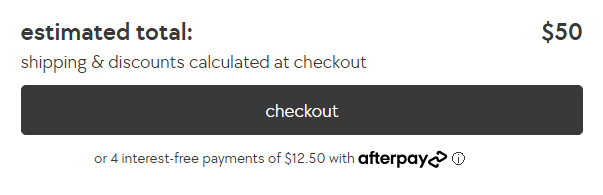
The cart total is often higher than any single price, so a small line under the total or checkout button helps. That's where Shop Pay Installments' cart banner goes.
At checkout: let it show, don't add clutter
Pay later appears as a payment method in Shopify's checkout once it's on. One-page checkout is the default, and adding your own text inside the checkout steps, like a note near the pay button, needs Shopify Plus. Most stores don't need it. Our Shopify checkout guide and our explainer on checkout extensibility cover what you can change there.
Is pay later worth the fees? A quick check
Pay later usually costs more per order than a card. Here's a quick check, with made-up numbers to swap for your own.
Example: 10,000 visitors a month (made-up numbers, not test results)
| Scenario | Orders | Extra pay later fees | Gross profit after fees | vs today |
|---|---|---|---|---|
| Today, no pay later | 200 | $0 | $12,000 | — |
| Pay later, no extra orders | 200 | $240 | $11,760 | −$240 |
| Pay later, 3% more orders | 206 | $269 | $12,091 | +$91 |
| Pay later, 5% more orders | 210 | $288 | $12,312 | +$312 |
| Pay later, 10% more orders | 220 | $336 | $12,864 | +$864 |
Assumes a 2% conversion rate, a $120 average order, a 50% gross margin, 1 in 4 of today's orders switching to pay later, every new order using pay later, and pay later costing 4 percentage points more than a card. Your provider's real rate may be higher or lower.
Here, pay later pays for itself with 4 extra orders a month, 2% more than today. The formula: extra fees ÷ profit per order = extra orders you need. A bigger average order gets you there faster. Our guide to increasing average order value covers the other levers.
Also compare it to the discount you might run instead. A 10% discount costs 10% of every order; a pay later fee only hits orders that use it. That's the job payment plans do at the top stores: Steve Madden and Cambridge Satchel use them "to offset the price objections", in the words of our breakdown notes. Our discount strategy guide goes deeper.
How to test pay later on your store
Payment methods are hard to A/B test on Shopify's locked-down checkout. The message is easier:
- Do the fee math, then turn it on. Know how many extra orders it needs to bring in.
- Test the message, not the method. With a theme A/B testing tool, show the "4 payments of…" line to half your visitors and hide it from the rest.
- Judge it on revenue per visitor, then profit. Fees can eat extra orders. Here's why revenue per visitor beats conversion rate.
- Run it for at least 2 full weeks. Avoid big sale weeks like Black Friday.
- Short on traffic? Proving a 10% lift at a 2% conversion rate takes about 161,000 visitors. With less, watch add to cart rate and how many orders use pay later. See our A/B testing guide.
FunnelSpark, an ecommerce CRO agency for Shopify stores, has run more than 1,000 A/B tests, and 37% of them beat the original. One lesson applies here: a feature that's switched on isn't a feature shoppers notice. Not sure payment is your leak? Try our free Leak Finder.
FAQ
Yes. Shop Pay Installments is Shopify's own pay later option for eligible stores in the US, Canada and the UK, with Australia in early access. You can also add providers like Afterpay through their apps.
Open an Afterpay merchant account, install the Afterpay app, connect your account and click Activate with test mode off. Then turn on on-site messaging for your product and cart pages.
Neither wins for every store. Shop Pay Installments is simplest if you use Shopify Payments in a supported country. Afterpay makes sense if your shoppers already use it. Some stores show both.
It can. In a randomized trial at a German online furniture store, pay later raised sales about 20%, with baskets 4% to 8% bigger. Test it on your own store.
Right under the price on your product page, and under the cart total. 10 of the 11 top stores we broke down that offer pay later show it on the product page.
Written by
Nicolas Fradet
Nicolas is the founder of FunnelSpark, an ecommerce CRO agency. He has spent 16 years finding out why shoppers don't buy, with 1,000+ A/B tests run and a 37% win rate. He wrote Stop Guessing. Start Converting.
Follow Nicolas on LinkedIn →Want us to find what's stopping your shoppers?
On a free 30-minute call, Nicolas looks at your store and shows you 3 growth opportunities, whether we work together or not.
Book your free call