Ecommerce A/B testing: what 1,000+ tests taught us
How many tests actually win, how much traffic you need, what to test first, and how to run a test on Shopify.

By Nicolas Fradet, founder of FunnelSpark · 16 years in CRO, 1,000+ A/B tests
Updated Oct 28, 2026 · 9 min read
The short answer
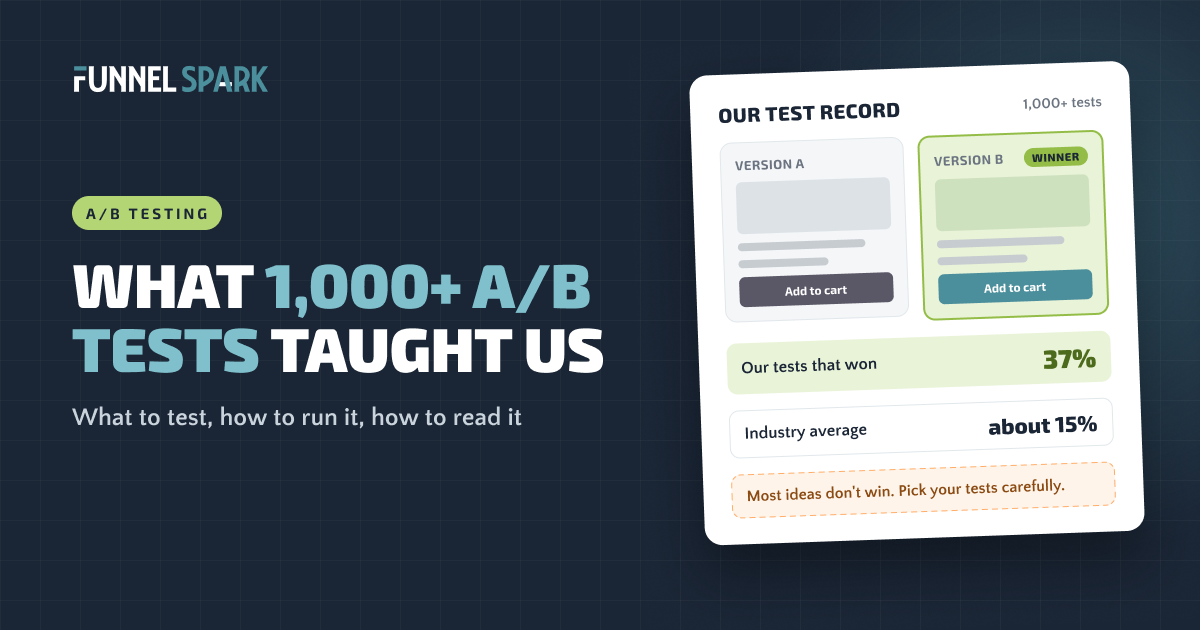
Most A/B tests don't win. Of the 1,000+ tests we've run, 37% beat the original, and the industry average is closer to 15%. So the skill isn't running tests. It's picking them. Start where your store leaks the most, make sure you have enough traffic, run each test for at least 2 full weeks, and judge it by revenue per visitor.
What an A/B test is (and isn't)
An A/B test (also called a split test) shows 2 versions of a page to your visitors at the same time. Half see version A, your current page. Half see version B, the change. You let it run, then compare which version made more money.
The "at the same time" part matters. If you change your product page on Monday and sales go up on Tuesday, you don't know why. Maybe it was the change. Maybe it was payday, a new ad, or the weather. A real A/B test splits the same traffic in the same week, so the only difference between the 2 groups is the change you made.
What it isn't: a way to settle opinions about button colors. The best tests answer a real question about your shoppers, like "do people leave because they can't see the shipping cost?"
What 1,000+ tests taught us
We've run more than 1,000 A/B tests for online stores. Here's the number that surprises most store owners:
of our 1,000+ A/B tests beat the original. The industry average is about 15%. That's a good record, and it still means most ideas, even good-looking ones, don't lift sales. Source: FunnelSpark test history.
Out of every 100 tests, how many win?
37
FunnelSpark tests that won, out of 100
~15
Industry average, out of 100 (approx.)
So what's the difference between a 15% win rate and a 37% one? It's not better design taste. It's what happens before the test. Here's what all those tests taught us:
- Research beats brainstorming. Ideas that come from data (where shoppers drop, what they search for, what they ask support) win far more often than ideas that come from a meeting.
- Fix worries, not looks. Shoppers leave because a question went unanswered: Will it fit? What does shipping cost? Can I return it? Tests that answer those questions beat tests that make a page prettier.
- Smaller stores need bigger swings. With less traffic, a tiny change can't show a clear result. Test changes big enough that shoppers would notice them.
- A losing test isn't wasted. If a change makes things worse, you just learned what your shoppers care about, and you didn't roll it out to everyone.
"Most store owners judge a test idea by how good it looks in a mockup," says Nicolas Fradet, founder of FunnelSpark. "The ideas that win usually look boring. They just answer the question a shopper had right before they left."
Do you have enough traffic to test?
This is the question to ask before anything else. A test needs enough orders in each version to tell a real win from luck.
Here's a simple rule of thumb: to reliably spot a 20% lift, you need about 400 orders in each version. To spot a 30% lift, about 200. The smaller the lift you want to catch, the more traffic you need. Catching a lift half as big takes about 4 times the traffic.
Visitors you need in each version (estimate)
| Your conversion rate | 10% lift | 20% lift | 30% lift |
|---|---|---|---|
| 1% | 163,000 | 43,000 | 20,000 |
| 2% | 81,000 | 21,000 | 10,000 |
| 3% | 53,000 | 14,000 | 6,500 |
Our estimate, using the standard sample size formula for comparing 2 conversion rates, with 95% confidence and 80% power. Double it for the total across both versions. A lift here means relative: 2% to 2.4% is a 20% lift.
So a store converting at 2% with 45,000 visitors a month can test for a 20% lift in about a month. A store with 5,000 visitors a month can't, not with a normal test.
Not enough traffic yet? You still have good options:
- Fix the obvious leaks without testing. A hidden shipping cost or a broken mobile menu doesn't need a test. Our ecommerce CRO checklist covers 40 of them.
- Test bigger changes that could plausibly move sales 30% or more, like a new offer or a reworked product page.
- Test where the traffic is. A change on a template every product page uses gets far more visitors than a change on 1 landing page.
What to test first, page by page
The best first test is on the page where you lose the most shoppers. Open your Shopify conversion report and find the biggest drop (our guide to getting traffic but no sales shows how). Then pick from these ideas for that page.
Homepage
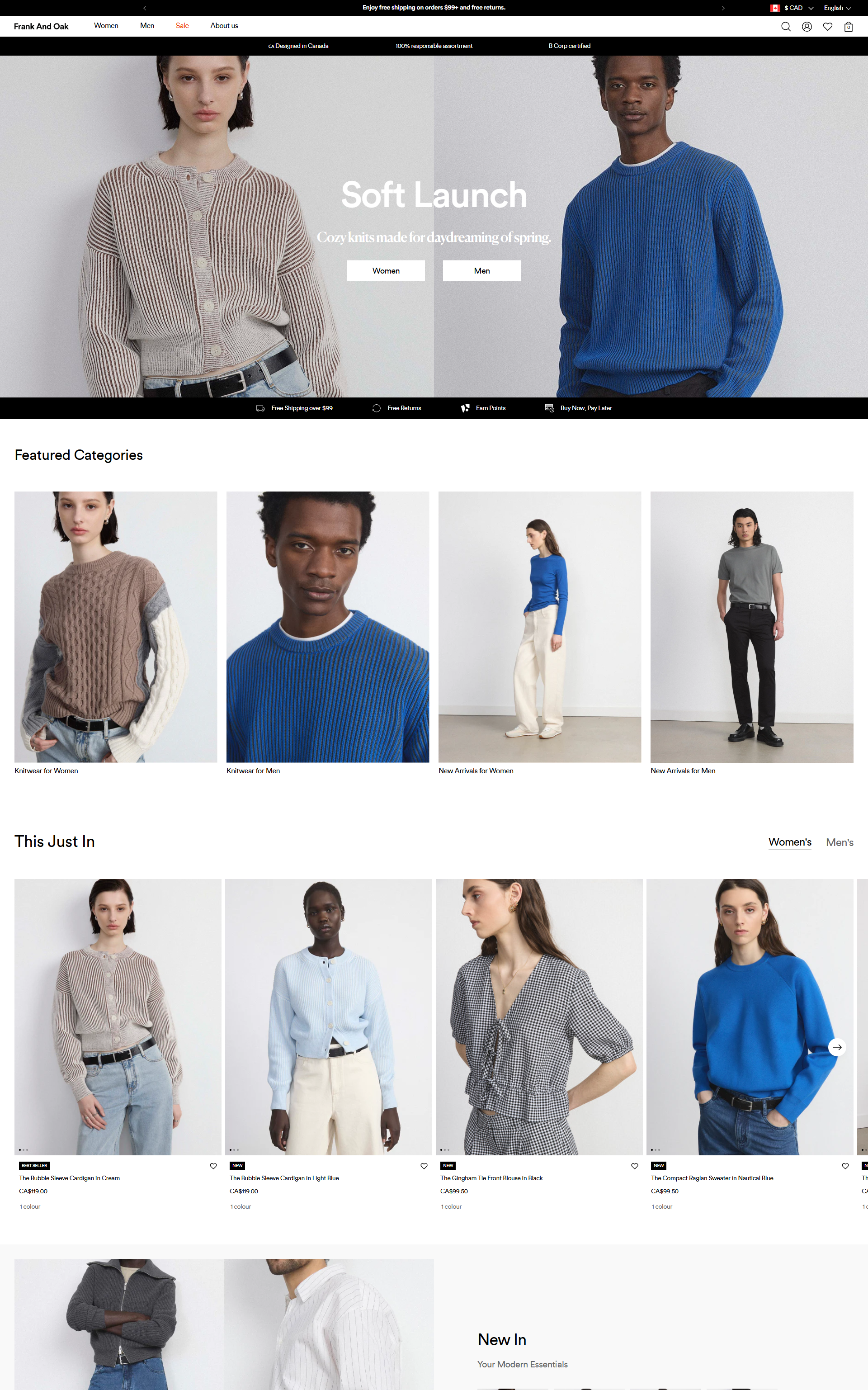
Test a first screen that says what you sell in plain words, against your current slogan. Test letting shoppers pick a path right away, like "Shop women" and "Shop men" buttons. 20 of the 25 top stores we broke down use tiles or buttons like these on the homepage.
Collection pages
Test filters that match how people shop (size, use, price), star ratings on product cards, and showing your best sellers first. 21 of the 25 top stores we broke down let shoppers filter or sort.
Product pages
This is where most stores have the most to gain. Test moving reviews higher, adding shipping and returns info next to the add to cart button, a size guide, and benefit-led copy instead of a spec list. More ideas in our product page optimization guide.
Cart
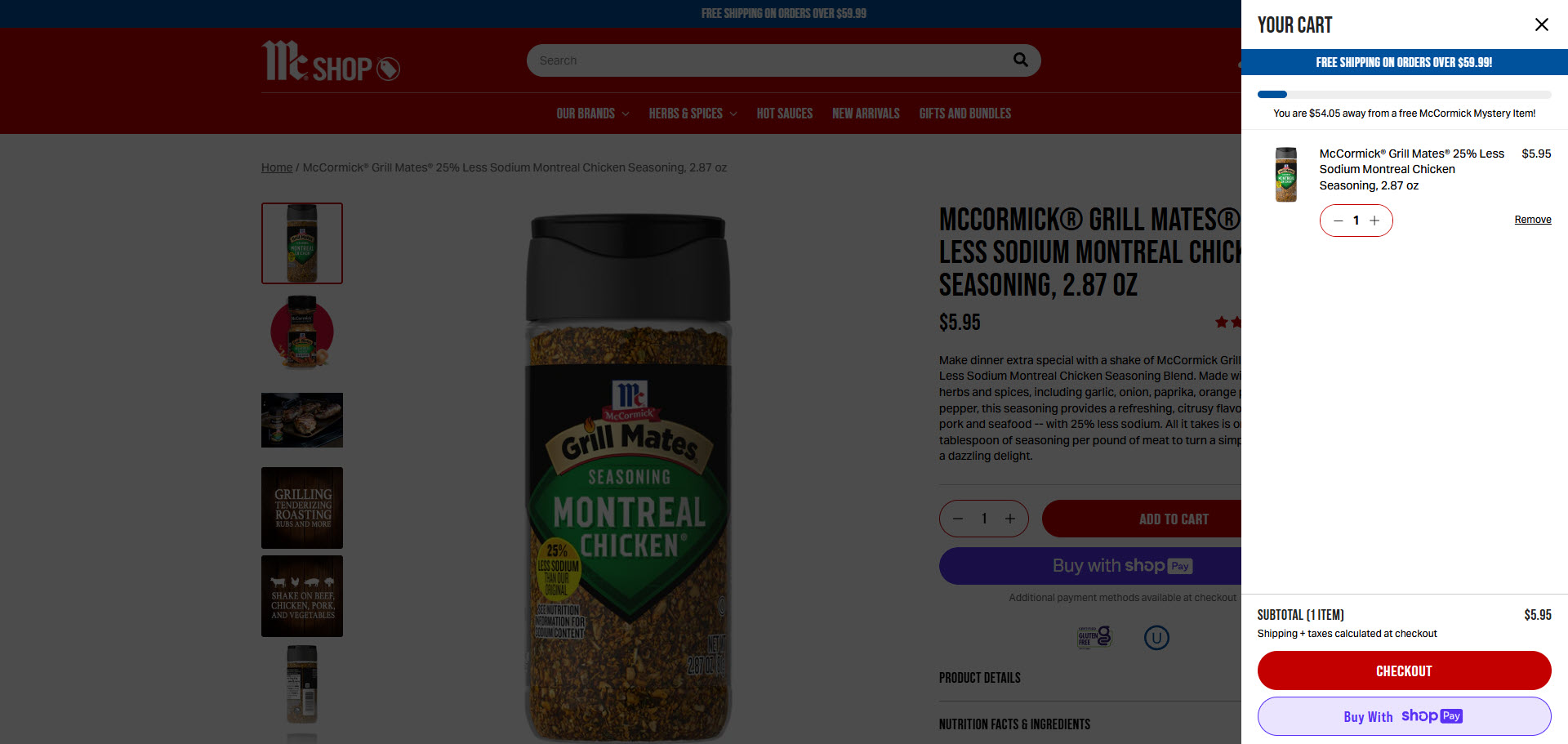
Test a free shipping progress bar, a small add-on offer, and express pay buttons in the cart. 15 of the 25 top stores we broke down show a free shipping threshold or confirm free shipping. If you test a threshold, read how to set your free shipping threshold first, because it changes your margins, not only your conversion rate.
Checkout
Shopify's checkout is locked down, so there's less to test. You can still test which payment options show, express checkout buttons, and the order of your shipping options. Adding custom text inside the checkout steps needs Shopify Plus. See our Shopify checkout guide for what you can change.
How to run an A/B test on Shopify, step by step
- Find the leak. Use your Shopify reports and 15 to 20 session recordings to see where shoppers stop and what they do right before. Microsoft Clarity is free and connects to Shopify.
- Write a hypothesis. One sentence: "Because we saw [what in the data], we believe [this change] will [this result]." If you can't fill in the first part, you're guessing.
- Pick a tool. Shopify now has a built-in tool called Rollouts that can A/B test a copy of your theme or checkout setup against the live one (check Shopify's help center for which plans have it). Apps like Intelligems can test prices, shipping rates, offers and page content. General testing tools like VWO and Convert work too. Pick the one that can test what you want to change.
- Decide before you start. Choose 1 main metric (we use revenue per visitor), the lift you want to catch, and how long the test will run, using the table above. Write it down.
- Check both versions. Click through each version on a phone and a computer, add to cart, and start checkout. A broken variant will "lose" for the wrong reason.
- Launch and leave it alone. Don't stop the test early because one version is ahead after 3 days. Early leads flip all the time.
- Read it, ship it, write it down. Roll out the winner, and keep a simple log of every test: the idea, the result, and what you learned. That log becomes your best source of new ideas.
How long to run a test
Run every test for at least 2 full weeks, in whole weeks, and until it reaches the number of visitors you planned. Shoppers behave differently on a Sunday night than on a Tuesday morning, so a test that runs 10 days gives some weekdays twice the weight of others.
Don't let a test run forever, either. Past 6 to 8 weeks, cookies get cleared and the same people start seeing both versions. If you can't reach your number in that time, test a bigger change.
And avoid big sale periods unless the sale is what you're testing. A Black Friday shopper isn't your normal shopper, so a winner in November may not win in February.
How to read your results
Don't judge a test by conversion rate alone. A version can get more orders and still make less money, for example if it pushes shoppers toward cheaper products or adds a discount. That's why we judge every test by revenue per visitor: total revenue divided by visitors, for each version. It captures both how many people bought and how much they spent. Here's why revenue per visitor beats conversion rate.
Then check 3 things before you call a winner:
- Is it significant? Your tool will show a confidence level or "chance to beat original." We want 95% before we call it.
- Did it reach the planned sample and run full weeks? If not, it's not done.
- Does it hold on mobile and desktop? Look at both, but don't go hunting through 20 segments for a win. Slice the data enough times and something will look like a winner by luck.
No clear winner? That's a result too. It means the change didn't matter much to shoppers, so move on to a bigger idea.
6 mistakes that waste tests
- Stopping early. Calling a winner after a few days because the graph looks good. This is the most common way to "win" a test that never really won.
- Testing with too little traffic. Running a test that could never reach a clear result. Check the table first.
- Testing tiny tweaks. A new button shade won't move a small store. Test changes shoppers would notice.
- Changing the test mid-way. Editing a version or changing the split while the test runs resets what you're measuring.
- Running clashing tests. Two tests on the same page, at the same time, for the same people make both results hard to trust.
- Judging by conversion rate only. More orders isn't the same as more money. Use revenue per visitor.
Not sure where your store leaks yet? Our free Leak Finder walks you through 20 checks from homepage to checkout, and our revenue calculator shows what a higher conversion rate would add to your revenue.
FAQ
At least 2 full weeks, in whole weeks, and until each version reaches the number of visitors you planned. Avoid running one much longer than 6 to 8 weeks.
A good rule of thumb is about 400 orders in each version to spot a 20% lift, or about 200 orders to spot a 30% lift. At a 2% conversion rate, that's roughly 21,000 visitors per version for a 20% lift.
Shopify's built-in Rollouts tool can A/B test a copy of your theme or checkout setup against the live one. Check Shopify's help center for which plans include it. For price, shipping or offer tests, you'll still want an app like Intelligems.
The industry average is about 15%. Of the 1,000+ tests we've run, 37% won. A higher win rate usually comes from better research before the test, not from more tests.
Start on the page where you lose the most shoppers, and test a change that answers a question shoppers have there, like shipping costs, sizing or returns. For most stores, that's the product page or the cart.
Written by
Nicolas Fradet
Nicolas is the founder of FunnelSpark, an ecommerce CRO agency. He has spent 16 years finding out why shoppers don't buy, with 1,000+ A/B tests run and a 37% win rate. He wrote Stop Guessing. Start Converting.
Follow Nicolas on LinkedIn →Want us to find what's stopping your shoppers?
On a free 30-minute call, Nicolas looks at your store and shows you 3 growth opportunities, whether we work together or not.
Book your free call