How to increase average order value: 7 moves top stores use
What AOV is, how to calculate it, and the 7 ways top stores get shoppers to add one more thing, ranked from easiest to hardest.

By Nicolas Fradet, founder of FunnelSpark · 16 years in CRO, 1,000+ A/B tests
Updated Nov 2, 2026 · 8 min read
The short answer
Average order value (AOV) is your revenue divided by your number of orders. To raise it, give shoppers a good reason to add one more thing: suggest a matching item before checkout, set a free shipping threshold just above your AOV, then try order bumps, post-purchase offers, bundles, quantity breaks and payment plans. Judge each one by revenue per visitor.
What is AOV, and how do you calculate it?
Average order value (AOV) is how much a shopper spends, on average, each time they place an order. The formula is simple:
AOV = total revenue ÷ number of orders
| Example (a made-up store, last 30 days) | |
|---|---|
| Revenue | $30,000 |
| Orders | 500 |
| Average order value ($30,000 ÷ 500) | $60 |
Use the same date range for both, and at least 30 days.
Shopify shows AOV in its Analytics dashboard. Its changelog says that AOV is based on gross sales minus discounts, and leaves out changes made to an order after it was placed. If another tool shows a different number, that's usually why.
What's a good AOV? There's no single answer: $300 boots and $12 candles will never be close. Compare your AOV with your own past numbers and with what it costs to get an order. If ads cost you $25 per order, a $40 AOV and a $90 AOV are very different businesses.
Why AOV matters (and when it lies)
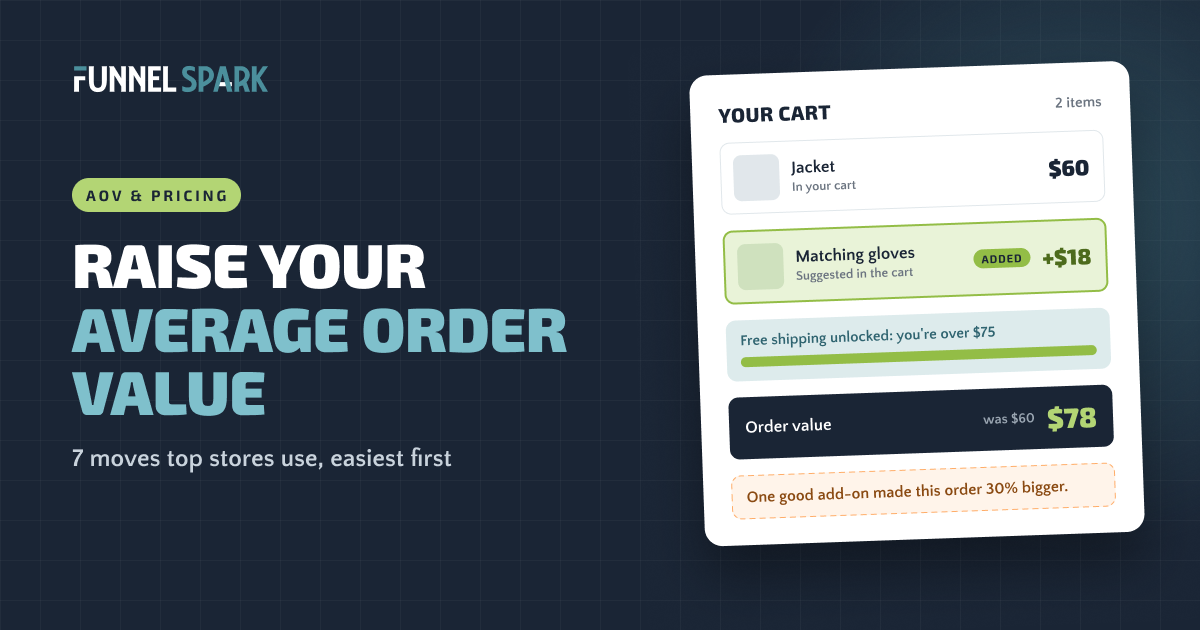
A bigger order costs you almost nothing extra to get. You already paid for the visit. If a shopper buys a $60 jacket and $18 gloves instead of just the jacket, you earn 30% more from that visit, usually shipped in one box.
But AOV on its own can lie. If orders get bigger but fewer people buy, you can end up with less money. That's why we judge changes by revenue per visitor: AOV × conversion rate. Here's why revenue per visitor beats conversion rate.
The 7 moves at a glance
We broke down 25 top online stores page by page, from homepage to checkout. These moves show up again and again. They're ranked from easiest to hardest to get right on a typical store.
| Move | Where it goes | Effort | How many of the 25 top stores |
|---|---|---|---|
| 1. Cross-sells | Product page, cart | Easy | 22 before checkout, 19 in the cart |
| 2. Free shipping threshold | Site-wide bar, cart | Easy | 17 promote free shipping, 7 state a threshold |
| 3. Order bumps | Checkout or cart | Medium | 7 at checkout |
| 4. Post-purchase upsells | After payment | Medium | Not tracked |
| 5. Bundles | Product page | Medium | Not tracked |
| 6. Quantity breaks | Product page | Medium | Not tracked |
| 7. Payment plans | Product page, cart | Easy to turn on, situational | 11 |
Where each move fits in your funnel
Product page
1Cross-sells5Bundles6Quantity breaks7Payment plansCart
1Cross-sells2Free shipping bar7Payment plansCheckout
3Order bumps (Shopify Plus)After payment
4Post-purchase upsell1. Cross-sells before checkout
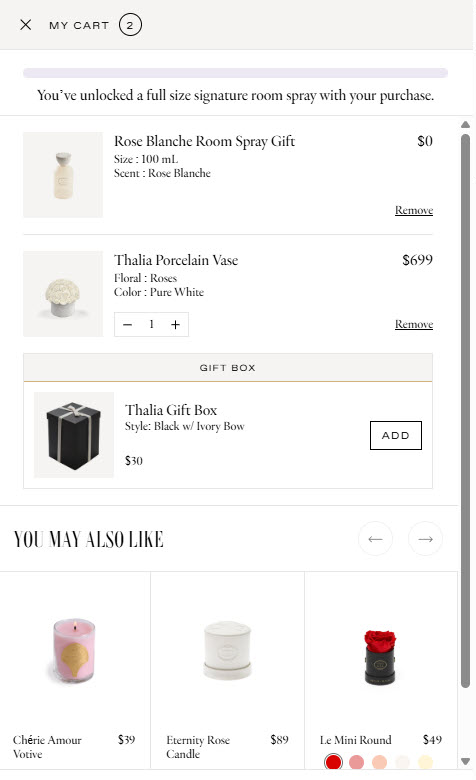
A cross-sell suggests something that goes with what the shopper is buying: gloves with the jacket, a case with the phone. An upsell suggests a better or bigger version of the same thing. Both are the easiest place to start.
top stores we broke down suggest extra products before checkout. 19 of them do it right in the cart. Source: FunnelSpark's page-by-page breakdown of 25 top online stores.
What makes a cross-sell work:
- It matches the product in the cart. "You may also like" filled with best sellers is weaker than "goes with your jacket."
- It's cheaper than the main item. A small add-on is an easy yes. A second big purchase is a new decision.
- It takes 1 tap. An Add button right in the cart beats a link to another product page.
An add-on should feel like help, not a sales pitch. If you'd suggest it to a friend standing in your shop, put it in the cart. If you wouldn't, leave it out.
2. A free shipping threshold
Surprise costs are the top reason shoppers give up on a cart. In Baymard Institute's cart abandonment research, 40% of shoppers who abandoned an order (leaving out those who were just browsing) said extra costs like shipping, taxes and fees were too high. A free shipping threshold turns that pain into a reason to add one more item.
Of the 25 top stores we broke down, 17 promote free shipping and 7 state a clear threshold. Only 2, Bodybuilding.com and Gymshark, show a progress bar in the cart, and that bar does the work: "You're $15 away from free shipping" gives the shopper a target.
A simple starting rule: set the threshold a bit above your AOV, so a typical shopper needs 1 small item to reach it. With a $60 AOV, test $75, and make sure you sell items in the $15 to $25 range to fill the gap. Our guide on how to set your free shipping threshold walks through the math, including what it does to your margins.
3. Order bumps
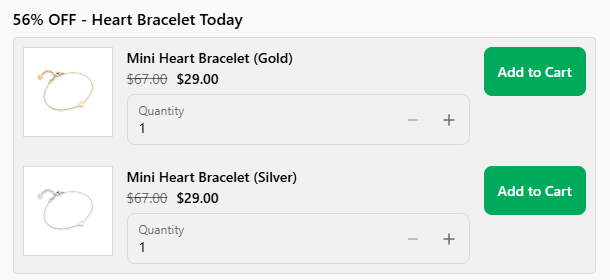
An order bump is a small, low-priced offer shown right before the shopper pays, added with 1 click: gift wrap, a warranty, a travel size. The shopper has already decided to buy, so a small yes is easy.
7 of the 25 top stores we broke down run an order bump at checkout: SKIMS, Frank & Oak, Abbott Lyon, Venus et Fleur, Oh Polly, Blueland and Killstar. Quad Lock does it even earlier, with an instant order bump right after Add to Cart.
The Shopify catch: Shopify's checkout is one page by default, and Shopify's developer docs say extensions on the information, shipping and payment steps are only available on Shopify Plus. So an offer inside the checkout steps needs Plus. On other plans, put your bump in the cart, right above the checkout button. More in our Shopify checkout optimization guide.
4. Post-purchase upsells
A post-purchase upsell is an offer shown after the shopper pays: "Want a second one for 20% off?" One click adds it to their order, with no need to type card details again.
It can't cost you the first sale, because that sale is done. On Shopify, these offers run through apps. From Shopify's developer docs:
- The offer page appears after the order is confirmed, but before the Thank you page.
- It isn't shown when the shopper pays with a wallet or pay-later service, such as Apple Pay, Google Pay, Klarna or Afterpay, or with a gift card. So only part of your buyers will see it.
- Shopify still lists post-purchase extensions as a beta that live stores need access for, so use an app built for it rather than building your own.
Keep it simple: 1 related product at a clear discount.
5. Bundles
A bundle sells products that belong together as one item: a skincare routine, a grill plus cover. The shopper gets a small discount and doesn't have to work out what goes with what.
Three tips:
- Bundle what people already buy together. Your orders with 2 or more items show you what.
- Show the saving in dollars. "Save $18" is easier to grasp than "save 12%."
- Put it on the product page, near the Add to Cart button. That's where the shopper is deciding. Our product page optimization guide covers what else belongs in that spot.
On Shopify, you need a bundles app to sell bundles. Shopify's help center describes its own Shopify Bundles app as free and available on all plans, for fixed bundles and multipacks.
6. Quantity breaks
Quantity breaks reward buying more of the same thing: "Buy 2, save 10%. Buy 3, save 15%." They work best for things people use up, like coffee, supplements or pet food. In our breakdown, Chewy's product page ran a "get the 4th free" promo.
Show the options as simple tiles above the Add to Cart button, with the price per unit and the middle option marked "most popular." Shopify's built-in Buy X Get Y discounts let you set purchase requirements, and for tiered breaks Shopify's help center points to discount apps. Do the margin math first: a 15% break on a product with a 40% margin gives away more than a third of your profit on those units.
7. Payment plans
Payment plans (buy now, pay later) split the price into smaller payments. "4 payments of $25" feels lighter than "$100," which can make a shopper comfortable with a bigger cart. 11 of the 25 top stores we broke down offer them, and 10 of those show them right on the product page. Steve Madden and Cambridge Satchel even show 2 plans.
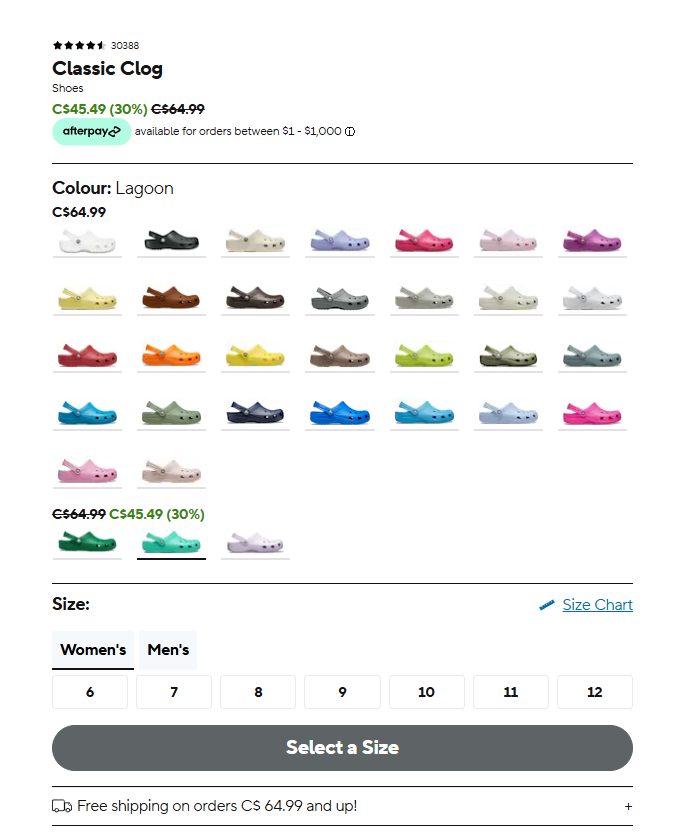
Payment plans are easy to turn on, but they come last because they only help when prices are high enough for a split to matter. Nobody needs 4 payments of $5. They also come with fees, so check the cost against the lift.
How to test AOV changes without losing sales
Every AOV move adds something to the page, and anything you add can distract a shopper who was about to buy. So test, and judge by revenue per visitor:
| Version (10,000 visitors each) | Conversion rate | AOV | Revenue per visitor |
|---|---|---|---|
| A: Current store | 2.5% | $60 | $1.50 |
| B: Matching add-on in the cart | 2.4% | $68 | $1.63 (up 9%) |
| C: Free shipping threshold set too high | 2.1% | $74 | $1.55 (up 4%) |
A made-up example, to show the math. Version C has the biggest AOV, but it scared off more shoppers and pays for more free shipping. Version B lost a few orders and still made the most per visitor.
At FunnelSpark, an ecommerce CRO agency for Shopify stores, we judge every A/B test this way. A few rules we follow:
- Run tests for at least 2 full weeks. One big order can swing AOV. Our ecommerce A/B testing guide shows how much traffic you need.
- Check profit too. Discounts, free gifts and free shipping all cost money. A move that raises revenue per visitor can still lower profit per visitor.
- Plan for Black Friday early. Shoppers arrive ready to buy more. Our Black Friday CRO checklist covers the rest.
Not sure if bigger orders or more orders is your best lever? Our free Leak Finder checks your store from homepage to checkout, and our guide to reducing cart abandonment covers the shoppers who leave.
FAQ
AOV stands for average order value. It's the average amount a customer spends per order. $30,000 in revenue from 500 orders is a $60 AOV.
Divide your total revenue by your number of orders for the same period. Use at least 30 days of data. Shopify also shows AOV in its Analytics dashboard, based on gross sales minus discounts.
It depends on what you sell. Compare your AOV with your own past numbers and with what it costs you to get and ship an order. If it barely covers those costs, raising it is a priority.
Start with cross-sells in the cart and a free shipping threshold set a bit above your current AOV. Then test bundles, quantity breaks and post-purchase offers with apps. Offers inside Shopify's checkout steps need Shopify Plus, so on other plans put order bumps in the cart.
It can. Extra offers and higher thresholds put some shoppers off. That's fine if revenue per visitor still goes up, so test each change and judge it by revenue per visitor.
Written by
Nicolas Fradet
Nicolas is the founder of FunnelSpark, an ecommerce CRO agency. He has spent 16 years finding out why shoppers don't buy, with 1,000+ A/B tests run and a 37% win rate. He wrote Stop Guessing. Start Converting.
Follow Nicolas on LinkedIn →Want us to find what's stopping your shoppers?
On a free 30-minute call, Nicolas looks at your store and shows you 3 growth opportunities, whether we work together or not.
Book your free call