Shopify checkout optimization: 9 fixes for more completed orders
What you can change in your Shopify checkout, what you can't, and the fixes that get more shoppers from cart to "Thank you."

By Nicolas Fradet, founder of FunnelSpark · 16 years in CRO, 1,000+ A/B tests
Updated Oct 28, 2026 · 9 min read
The short answer
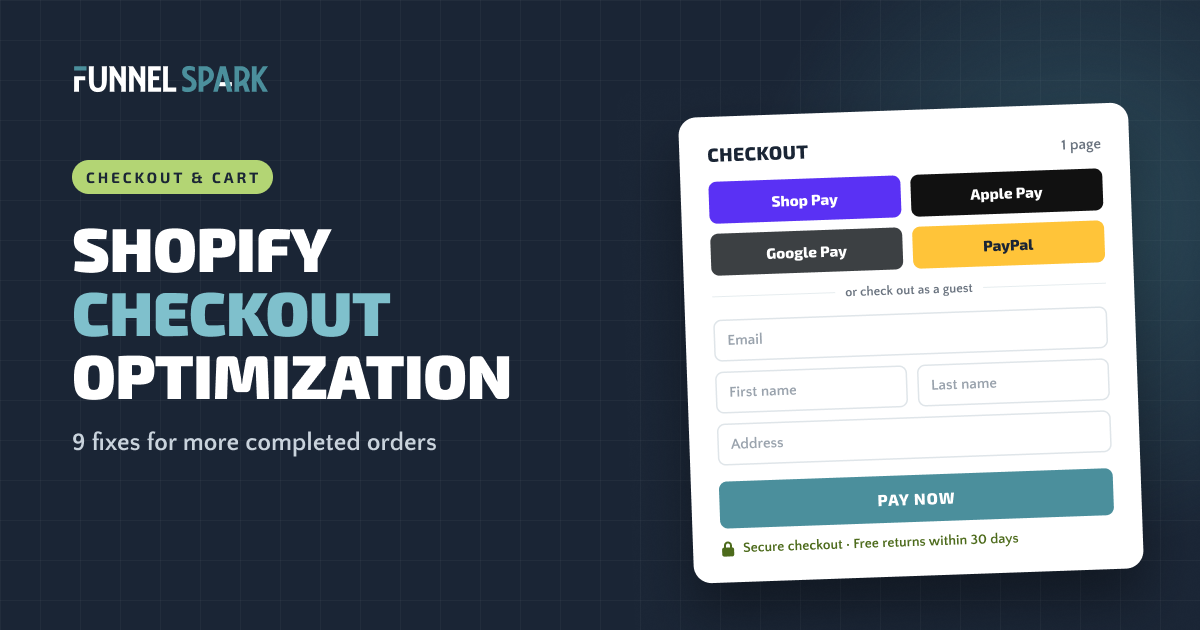
To optimize your Shopify checkout, keep the one-page layout, make accounts optional, and turn on Shop Pay, Apple Pay, Google Pay and PayPal. Show shipping costs before checkout, remove fields you don't need, and put reassurance near the pay button. Then measure checkout completion and revenue per visitor, and test bigger changes before you keep them.
The 9 fixes at a glance
Shopify's checkout is already one of the better ones out there, which is good news: you don't have to build it. But the settings, the cart before it and the pages around it still decide how many shoppers finish. Here are the 9 fixes we check first.
- Keep the one-page checkout unless a test tells you otherwise.
- Turn on express checkout: Shop Pay, Apple Pay, Google Pay and PayPal.
- Offer pay later options for bigger orders.
- Show shipping costs and delivery times before checkout.
- Make customer accounts optional so shoppers can check out as guests.
- Remove fields you don't need, like company name.
- Add reassurance near the pay button: returns, security, support.
- Brand the checkout so it looks like the store they just shopped in.
- Use the thank-you page to ask a question, invite an account or make an offer.
What a high-converting checkout gets right
- Express buttons first. Saved cards and addresses, paid in a couple of taps.
- Guest checkout. No account needed to pay.
- Only the fields you need. Most stores need about 8.
- No surprise costs. Shipping already known from the cart.
- Reassurance by the button. Security and returns, in one line.
One-page vs multi-step checkout
Shopify's default is a one-page checkout: contact, delivery and payment on a single page. Stores can still switch to the older three-page checkout. On most plans that setting is in the theme editor. Shopify Plus stores set it in the checkout editor.
One page means fewer page loads and less waiting. A multi-step checkout can feel lighter on a phone, especially with a clear progress bar. Some big brands still use one: Crocs ran a multi-step checkout with a progress bar when we broke down its funnel, and Quad Lock used one too.
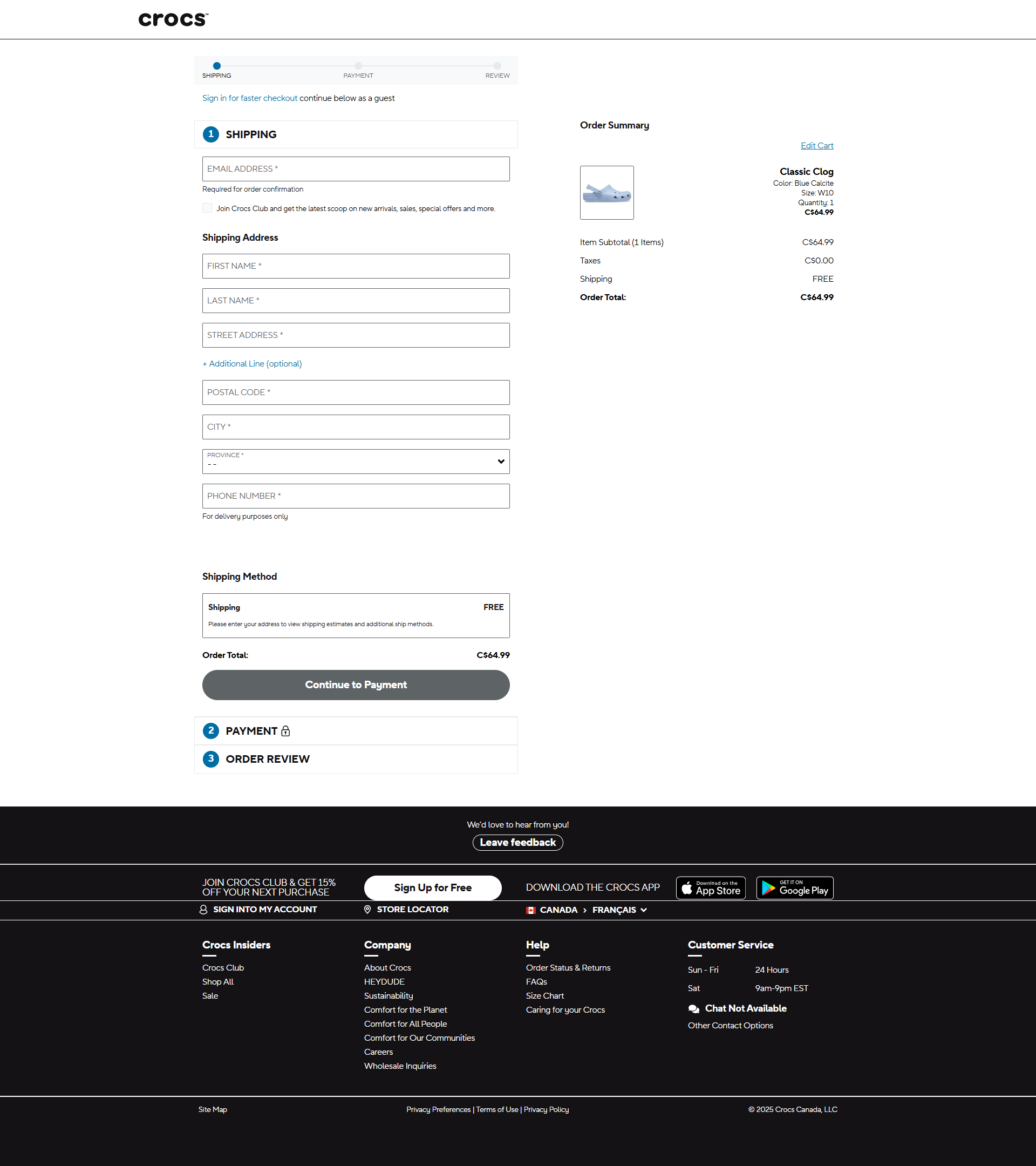
Our take: stay on the one-page default. Switch only if an A/B test on your own shoppers shows the multi-step version sells more.
Express checkout and payment options
The fastest checkout is the one shoppers barely fill in. Express checkout buttons pull in saved addresses and cards, so a returning Shop Pay user can pay in a couple of taps. Shopify says Shop Pay can raise conversion by up to 50% compared to guest checkout, based on a study it commissioned.
- Turn on Shop Pay, Apple Pay, Google Pay and PayPal. 24 of the 25 top stores we broke down offer several ways to pay.
- Show express buttons in the cart too, not only in checkout. McCormick puts a Shop Pay button right in its cart.
- Add a pay later option for bigger orders. Shop Pay Installments, Klarna or Afterpay split the price into smaller payments. 11 of the 25 top stores show pay later options, mostly on the product page so the smaller number shows up early.
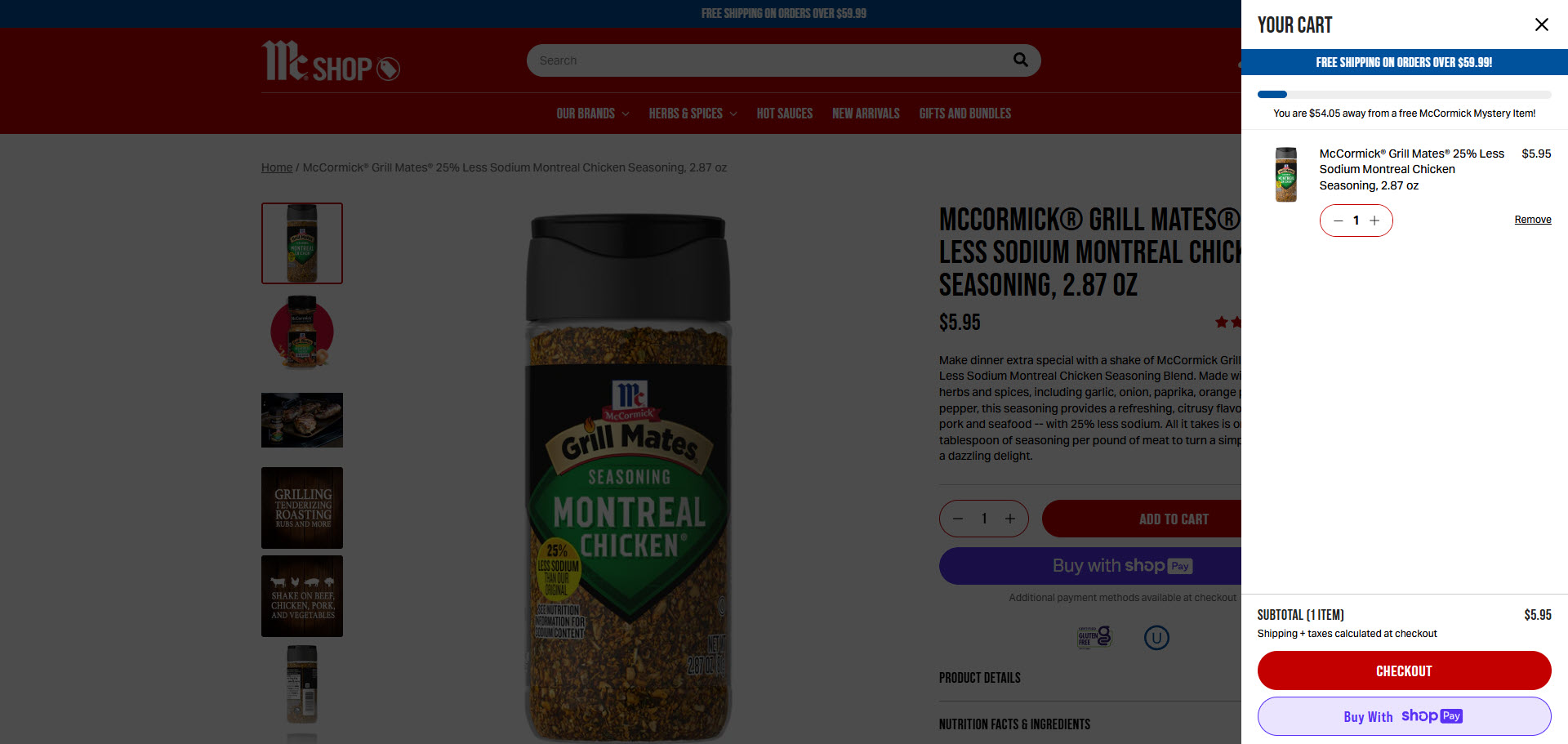
It's worth the 10 minutes: in Baymard Institute's research, 9% of shoppers who abandoned an order said there weren't enough payment methods.
Show shipping costs before checkout
The checkout is the worst place for a surprise. Extra costs like shipping, taxes and fees are the top reason shoppers abandon checkout: 40% of those who left named them in Baymard's research.
So by the time shoppers reach checkout, they should already know what shipping costs. Put it on the product page and in the cart, with a free shipping progress bar if you have a threshold. 15 of the 25 top stores we broke down show a free shipping threshold or confirm free shipping in the cart or checkout. Here's how to set your free shipping threshold.
Delivery time matters too: in the same research, 20% of shoppers who left said delivery was too slow. If you ship fast, say so before checkout, ideally as a date ("Arrives by Thursday").
Guest checkout and fewer fields
Making people sign up before they pay costs sales. In Baymard's research, 18% of shoppers who abandoned an order left because the site wanted them to create an account, and 17% because checkout was too long or complicated.
- Make accounts optional. In your Shopify admin, go to Settings, then Customer accounts, and make sure shoppers don't have to sign in to check out. Invite them to create an account after the order instead.
- Cut the fields you don't need. Baymard found the average checkout has 11.3 form fields, while most stores need only 8. In Shopify's checkout settings, you can hide or make optional the company name, the second address line and, if you don't need it for delivery, the phone number.
- Ask for the email first. It's how you reach shoppers who leave. Shopify's abandoned checkout emails only work when you have it. More in our guide to reducing cart abandonment.
Reassurance near the pay button
Right before they pay, shoppers get one last wave of doubt. "Is this safe? What if it doesn't fit?" In Baymard's research, 19% of shoppers who abandoned an order didn't trust the site with their card details, and 13% didn't like the returns policy.
- Mention security. 19 of the 25 top stores we broke down mention a secure checkout, most of them on the checkout page itself.
- Repeat the returns promise. One line, like "Free returns within 30 days." Chewy uses short risk-reversal bullets at checkout, and Venus et Fleur shows its guarantee there.
- Show a way to get help. Chewy shows a support phone number right at checkout.
- Brand the checkout. Add your logo, colors and fonts in the checkout editor, so the checkout feels like part of your store, not a strange new page.
One catch: adding your own text inside Shopify's checkout needs Shopify Plus. On other plans, put your security and returns line in the cart, right above the checkout button, where shoppers see it just before they start paying.
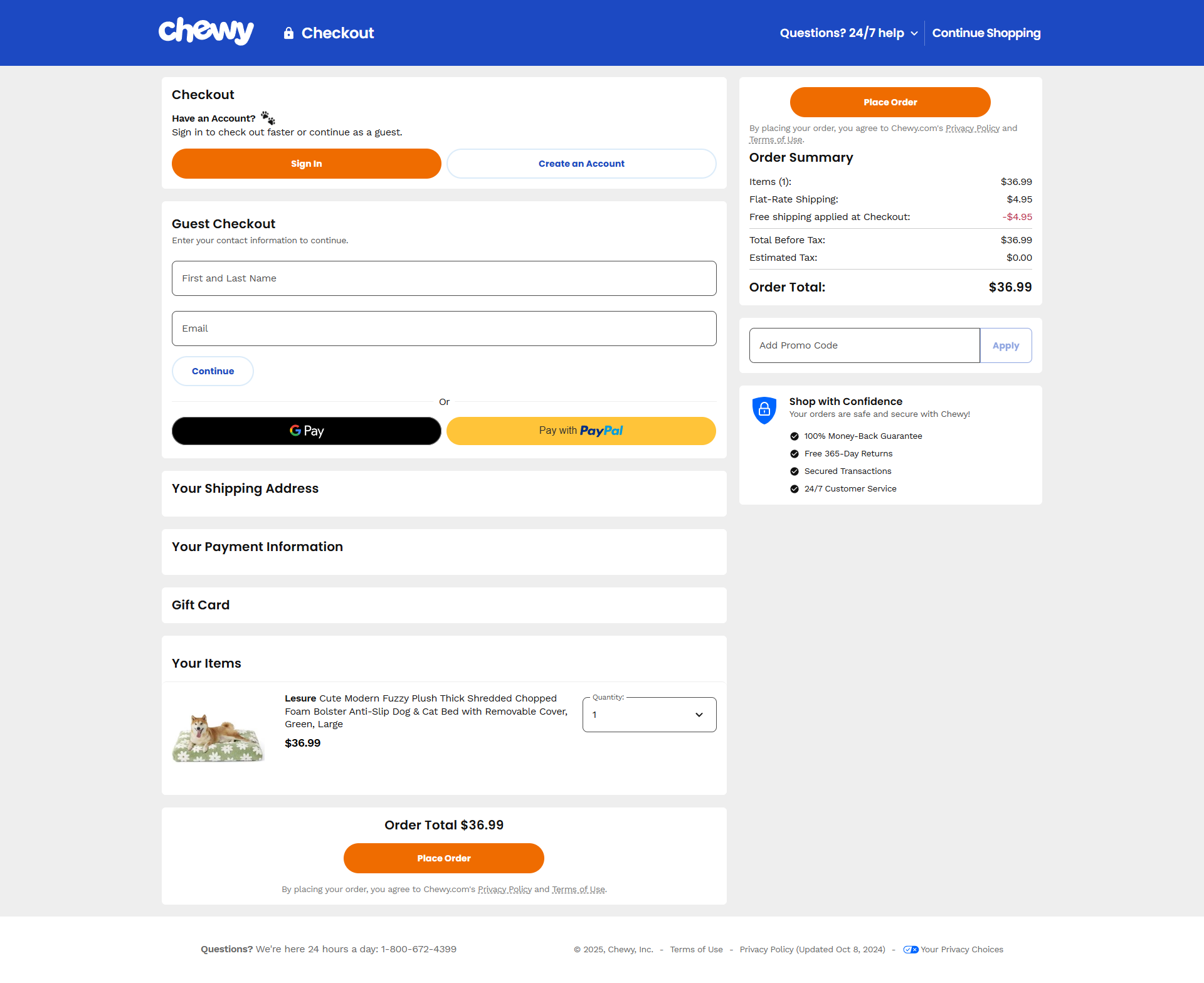
top online stores we broke down mention a secure checkout, most of them right on the checkout page. Source: FunnelSpark's page-by-page breakdown of 25 brand funnels.
What you can and can't change in Shopify checkout
Shopify has retired checkout.liquid and the old "additional scripts" box. Checkouts are now customized through what Shopify calls checkout extensibility: the checkout editor, apps built on checkout UI extensions, and Shopify Functions. What you can do depends on your plan.
| What you want to change | Basic, Shopify, Advanced | Shopify Plus |
|---|---|---|
| One-page or three-page layout | Yes, in the theme editor | Yes, in the checkout editor |
| Logo, colors and fonts | Yes, in the checkout editor | Yes, with more control |
| Payment methods and express buttons | Yes | Yes |
| Guest checkout and optional fields | Yes | Yes |
| Custom content inside the contact, shipping and payment steps (trust blocks, upsells, extra fields) | No | Yes, with checkout UI extensions |
| Thank-you and order status pages | Yes, with app blocks | Yes |
| Discount, payment and delivery rules (Shopify Functions) | Yes, through public apps | Yes, including custom apps |
If you're not on Plus, most of your checkout wins come from the cart, the settings above and the thank-you page. The cart is where you have the most freedom, so it's often where we start. Order bumps in checkout, which 7 of the 25 top stores we broke down use, need Plus or an app that supports them.
Don't forget the thank-you page. Every plan can use it to ask a one-question survey ("How did you hear about us?"), invite shoppers to create an account, or show an offer for their next order.
How to measure your checkout
Before you change anything, write down where you are today. In Shopify Analytics, the conversion rate breakdown shows sessions that reached checkout and sessions that completed it. Track these:
- Checkout completion rate: completed checkouts divided by sessions that reached checkout.
- Mobile vs desktop: if phones finish far less often, test your checkout on a real phone first.
- Revenue per visitor: it shows whether a change made you more money, not just more orders.
Settings like express checkout and guest checkout are safe to switch on. Bigger changes, like layout, extra content or offers, are worth A/B testing. Of the 1,000+ A/B tests we've run, 37% won, which means most changes that sound smart don't lift sales on their own.
FAQ
Yes, within limits. Every plan can change the layout, branding, payment methods and form fields, and add app blocks to the thank-you page. Only Shopify Plus can add custom content inside the contact, shipping and payment steps.
It's Shopify's default and means fewer page loads, so it's a good place to start. But some stores do better with steps and a progress bar, so test it on your own shoppers before switching.
Shopify says Shop Pay can raise conversion by up to 50% compared to guest checkout, based on a study it commissioned. Either way, it's free to turn on and lets returning Shop Pay users pay in a couple of taps.
In your Shopify admin, go to Settings, then Customer accounts, and make sure customers aren't required to sign in before checkout. You can still invite them to create an account after they order.
On Shopify Plus, yes, with checkout UI extensions. On other plans, put upsells in the cart and on the thank-you page, or use an app that shows a one-click offer after payment.
Written by
Nicolas Fradet
Nicolas is the founder of FunnelSpark, an ecommerce CRO agency. He has spent 16 years finding out why shoppers don't buy, with 1,000+ A/B tests run and a 37% win rate. He wrote Stop Guessing. Start Converting.
Follow Nicolas on LinkedIn →Want us to find what's stopping your shoppers?
On a free 30-minute call, Nicolas looks at your store and shows you 3 growth opportunities, whether we work together or not.
Book your free call