Black Friday CRO checklist: what to fix before BFCM traffic hits
The fixes to make now, the changes to avoid in the last week, and how to keep the new customers after Cyber Monday.

By Nicolas Fradet, founder of FunnelSpark · 16 years in CRO, 1,000+ A/B tests
Updated Oct 29, 2026 · 8 min read
The short answer
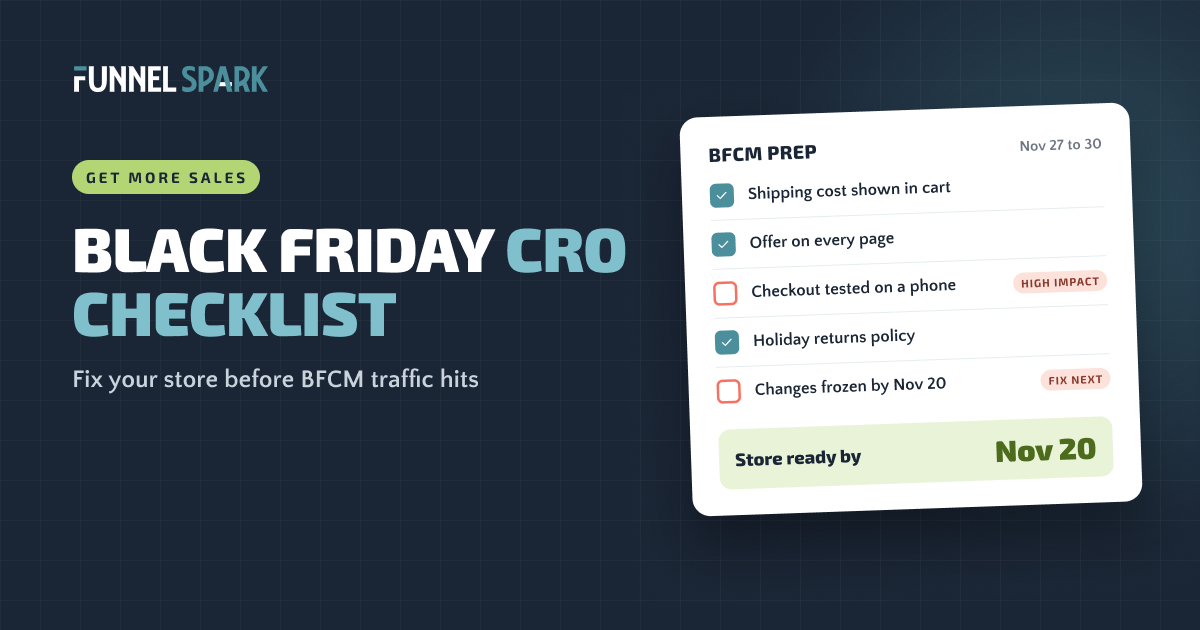
Before Black Friday, fix the leaks that cost the most when traffic spikes. Make one clear offer visible on every page, show shipping costs and delivery cut-offs early, test checkout on a phone, and make sure your pages stay fast. Stop making big changes about a week before Black Friday, then follow up with every new buyer after Cyber Monday.
Why Black Friday is the worst week to have a leak
Black Friday to Cyber Monday (BFCM) is the busiest 4 days of the year for most online stores. In 2026, Black Friday falls on Friday, November 27, and Cyber Monday on November 30.
The traffic is huge. Adobe reported that US shoppers spent $11.8 billion online on Black Friday 2025 and $14.25 billion on Cyber Monday, a record. Shopify says its merchants sold $14.6 billion worldwide over the 2025 BFCM weekend, with an average cart of $114.70.
That traffic also costs more. Every brand is bidding for the same shoppers, so ads usually get pricier that week. A leak that loses you 1 sale in 100 on a normal Tuesday loses you far more money when the visitors are expensive and arriving by the thousands.
"Black Friday doesn't fix a leaky store. It just shows you, very expensively, where the leaks are," says Nicolas Fradet, founder of FunnelSpark.
of US online sales on Cyber Monday 2025 happened on a phone. If checkout is clumsy on mobile, more than half your BFCM shoppers feel it. Source: Adobe Digital Insights, Cyber Monday 2025.
Your 4-week plan
You don't need a redesign. You need the right fixes in the right order, and a date after which you stop touching the store. Here's the timeline we use.
Black Friday 2026: the 4-week plan
- Oct 27 – Nov 2Fix the leaksFind your biggest drop-off. Show shipping costs and delivery cut-offs early.
- Nov 3 – 9Set up the offerOne clear deal on the bar, homepage, product pages and cart. Start an early-access list.
- Nov 10 – 16Test everythingBuy on your phone, test every code, check page speed and stock.
- Nov 17 – 26Freeze from Nov 20No new apps, theme changes or tests. Back up the theme and watch your numbers.
- Nov 27 – 30BFCM is liveBlack Friday to Cyber Monday. Monitor daily and roll back first if something breaks.
- Dec 1 onwardKeep the buyersWelcome emails, review requests, a January win-back, and notes for next year.
Short on time? Do the checks marked "High impact" first. Most stores can get through those in a few days.
Fix the leaks first (checks 1–5)
More traffic into a leaky store just makes the leak bigger. Start with the problems that stop shoppers on any day of the year.
- Find your biggest leak. Open the conversion rate breakdown in Shopify Analytics and look for the step where most people drop: product page, cart or checkout. Fix that step before anything else. High impact
- Show shipping costs and holiday delivery cut-offs before checkout. Extra costs are the top reason shoppers abandon checkout: 40% of those who left named them in Baymard Institute's research, and 20% said delivery was too slow. "Order by Dec 15 for delivery before the holidays" answers both worries. High impact
- Make your returns policy gift-friendly. A longer holiday returns window takes the risk out of buying a gift. 12 of the 25 top stores we broke down make a guarantee or returns promise.
- Check that product pages answer the basic questions. Clear photos, sizes, reviews and shipping info. 23 of the 25 top stores show ratings and reviews on the product page.
- Add a "Black Friday" collection to the main menu. Deal shoppers want to see every deal in one place. Don't make them hunt.
For a full page-by-page review, go through our 40-point ecommerce CRO checklist.
Set up an offer people get in 3 seconds (checks 6–10)
On Black Friday, shoppers skim. If they can't tell what the deal is in a few seconds, they move on to the next tab.
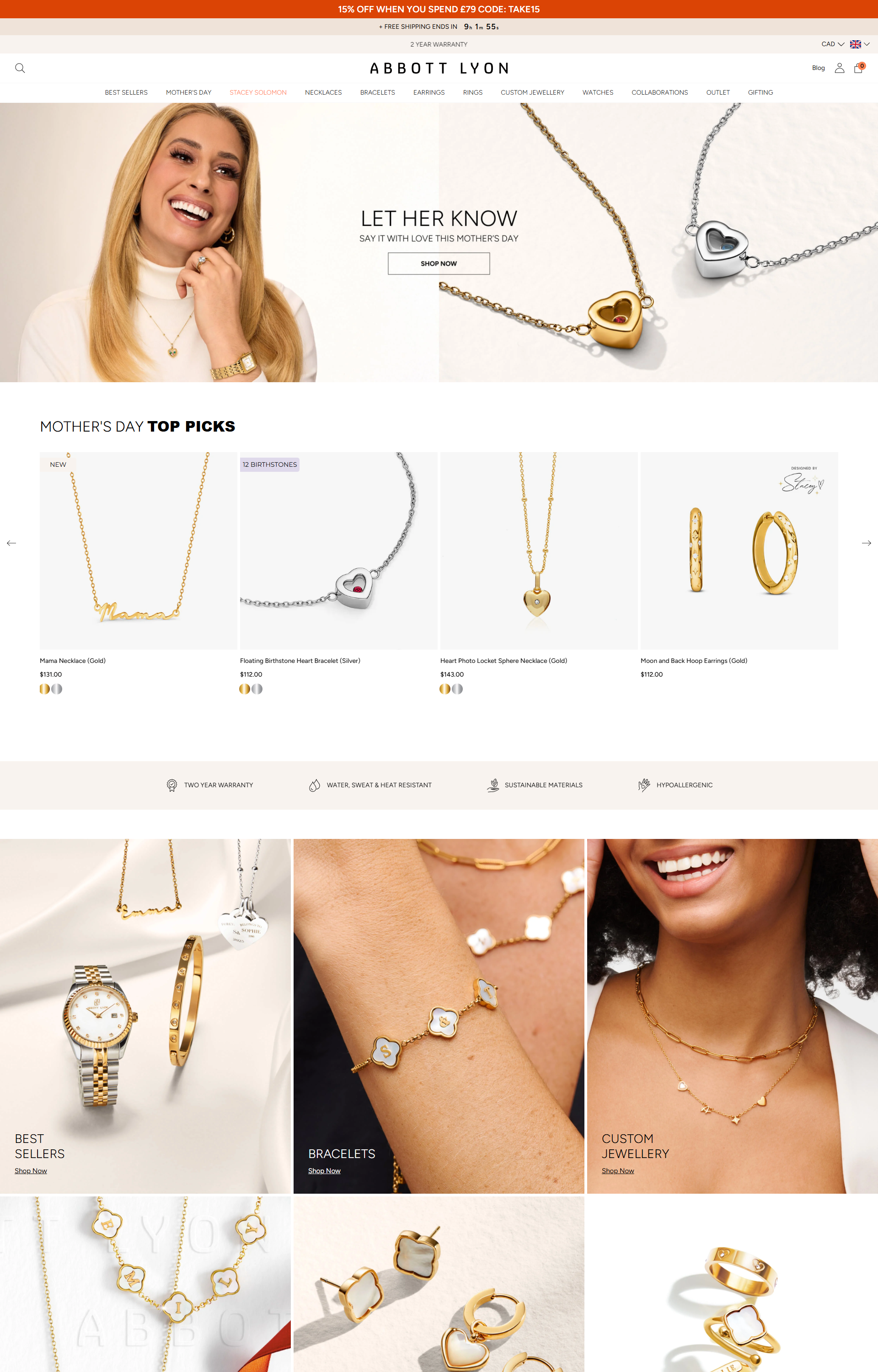
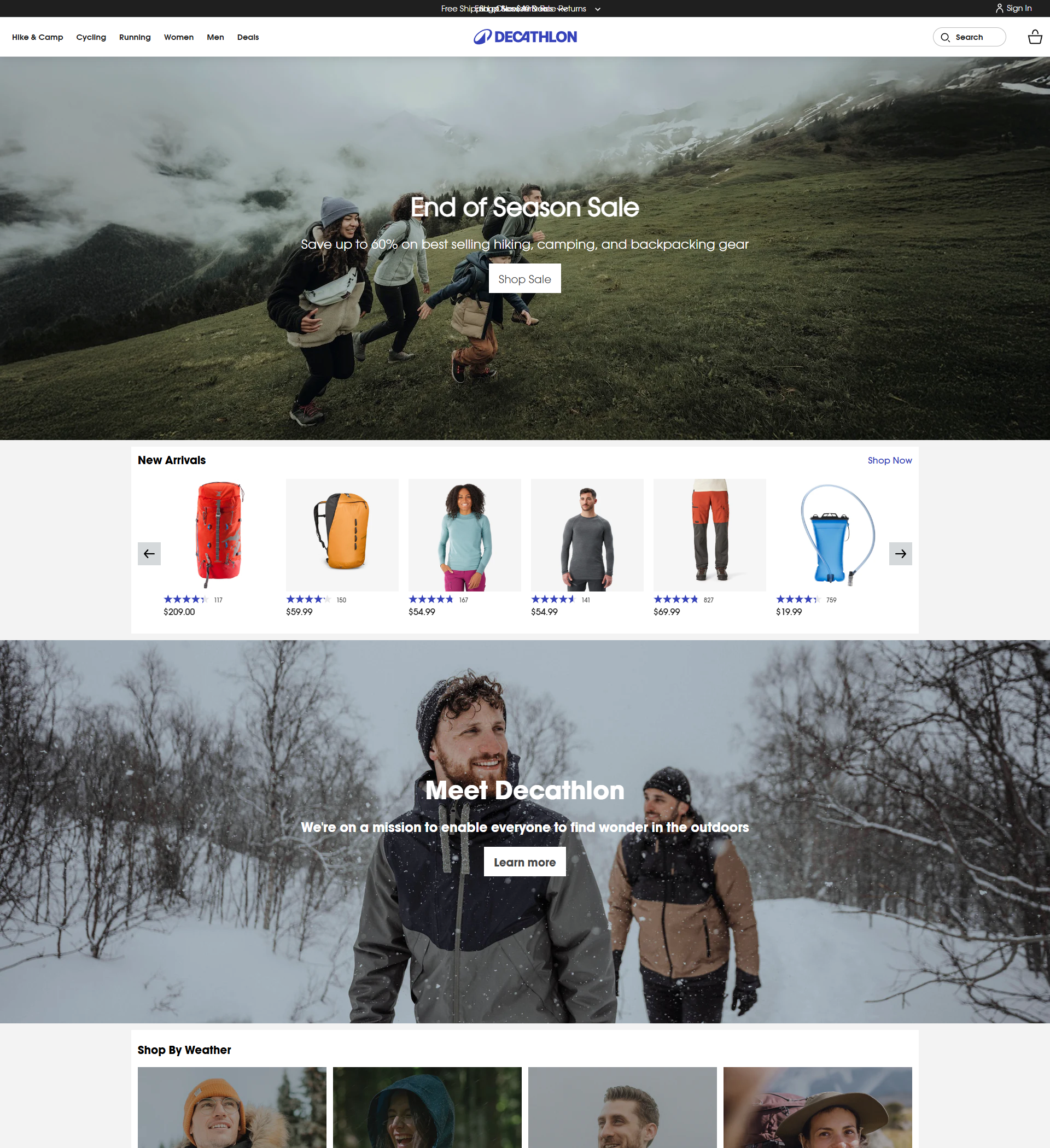
- Pick one offer and repeat it everywhere. Announcement bar, homepage hero, product pages and cart. 18 of the 25 top stores we broke down use an announcement bar. High impact
- Make the savings easy to see. "25% off everything" beats a puzzle of tiers and codes. Show crossed-off prices only for real discounts. 9 of the 25 top stores use them.
- Use the offer to raise order value. A free shipping threshold or a bundle gives shoppers a reason to add one more item. Here's how to set your free shipping threshold.
- Only use real deadlines. A countdown to the true end of the sale works. A fake timer that resets every visit gets noticed, and it costs you trust you'll need in December.
- Start collecting early-access sign-ups now. "Get our Black Friday deals 24 hours early" turns this week's visitors into buyers on day 1.
Test the cart and checkout (checks 11–16)
This is where Black Friday money is won or lost. Shoppers who reach your cart already want the product. Don't give them a reason to stop.
- Buy something from your own store on your phone. Start to finish, with a discount code, the way a shopper would. Time it and write down every snag. High impact
- Turn on express payments. Shop Pay, Apple Pay, Google Pay and PayPal. Shopify says 32% of orders on its stores over BFCM 2025 used Shop Pay. 24 of the 25 top stores we broke down offer several ways to pay. High impact
- Offer a pay later option. Adobe reported that buy now, pay later drove $1.03 billion in US online spending on Cyber Monday 2025 alone. 11 of the 25 top stores show pay later options.
- Test every discount code. Check that each code works, that codes stack (or don't) the way you intend, and that the discount shows in the cart. Where you can, use automatic discounts so shoppers don't have to leave to hunt for a code.
- Show the savings and free shipping progress in the cart. Seeing "You saved $24" and "You've earned free shipping" right before checkout keeps people moving.
- Let shoppers check out as guests. In Baymard's research, 18% of shoppers who abandoned an order left because the site wanted them to create an account.
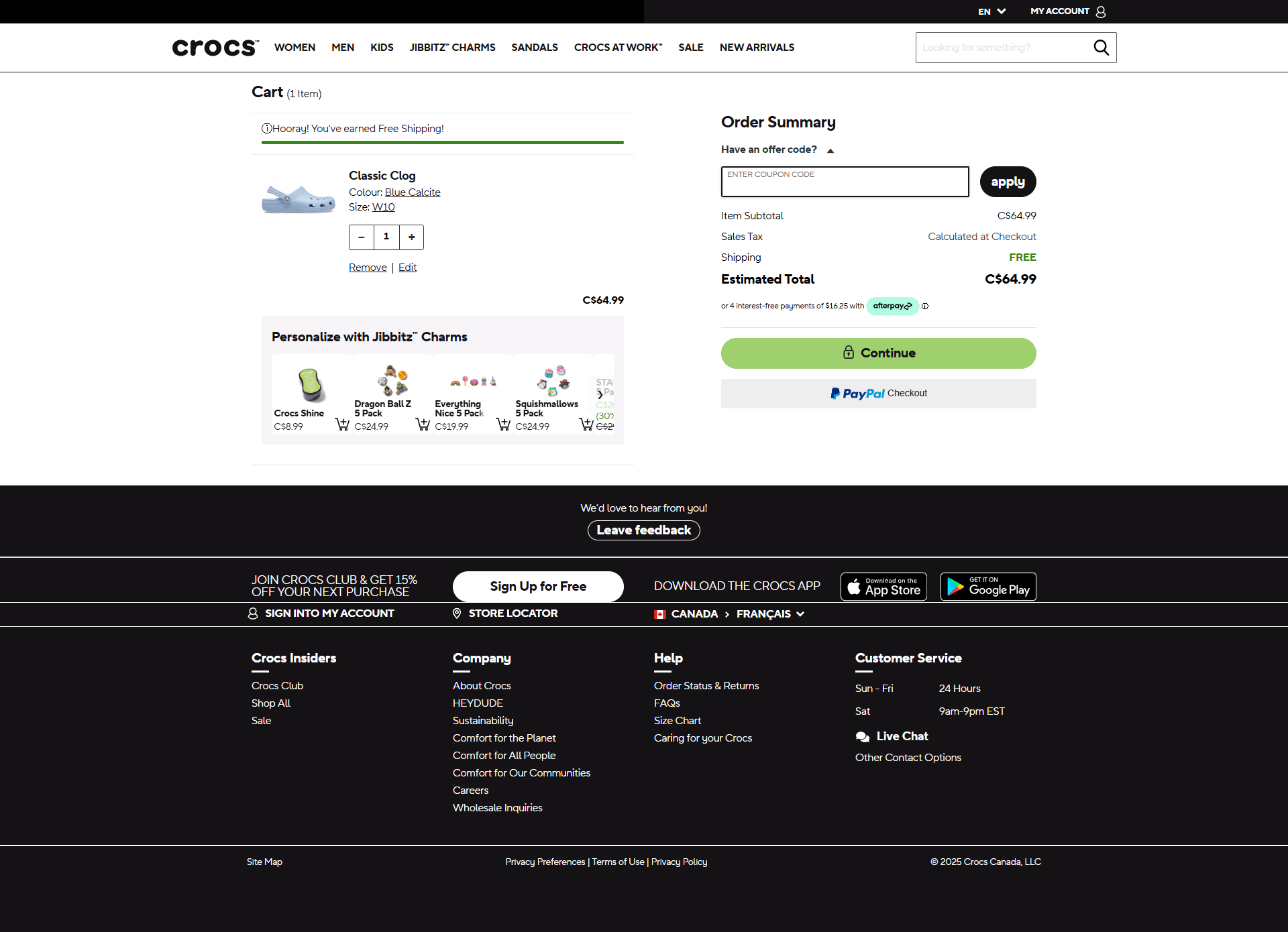
On Shopify, adding your own text inside checkout needs Shopify Plus. On other plans, put your delivery cut-off and returns promise in the cart instead. Our Shopify checkout optimization guide covers what you can change on each plan.
Speed, stock and support (checks 17–20)
The rush is real. Shopify says sales on its platform peaked at $5.1 million per minute at 12:01 PM ET on Black Friday 2025. Shopify handles the hosting, but your theme, apps and images decide how fast your pages load.
- Check your key pages on a phone connection. Run your homepage, top product page and cart through Google PageSpeed Insights. Compress big images and remove apps you no longer use. High impact
- Check stock on your best sellers. Sold-out products in your main promos waste your best traffic. Swap them out, or add a back-in-stock sign-up.
- Write the answers before the questions come. Shipping cut-offs, returns, gift receipts. Put them in your FAQ and save replies for your support inbox.
- Check your tracking. Place a test order and make sure it shows up in your analytics. Without clean data, you won't know what worked.
What not to change in the last week
The biggest Black Friday mistakes we see are last-minute changes. A new app or a theme tweak the night before can break your cart when you can least afford it. Set a freeze date, about a week before Black Friday (we use November 20 this year), and stick to it.
- No new apps or theme changes. Duplicate your live theme in Shopify as a backup, so you can switch back in a minute if something breaks.
- No redesigns. A redesign changes 50 things at once. BFCM week is the worst time to find out which one hurt sales.
- No new A/B tests. Deal hunters behave differently from your usual shoppers, so a winner during Black Friday may not win in January. Test before or after.
- Do watch your numbers every day. Conversion rate, checkout completion and any error messages. If something drops, roll back first and investigate second.
After Cyber Monday: keep the new buyers
BFCM brings in a wave of first-time buyers. Most stores never hear from them again. A few simple steps turn some of them into repeat customers.
- Ask one question on the thank-you page. "How did you hear about us?" tells you which channels really worked.
- Send a short welcome series to new buyers. Shipping updates, how to use the product, and a review request once it arrives.
- Plan a January win-back. Reach out to BFCM buyers with a reason to come back, like a refill, an accessory or a new arrival.
- Write down what worked. Your offer, your best days and hours, your conversion rate. Next year's plan starts with this year's notes.
Lost some shoppers at the cart? Our guide on how to reduce cart abandonment covers the abandoned cart emails worth setting up before December.
FAQ
Black Friday is Friday, November 27, 2026, the day after US Thanksgiving. Cyber Monday is Monday, November 30, 2026. Many stores start their deals earlier in the week.
About 4 weeks before is ideal, so you have time to fix leaks, set up the offer and test. Even 2 weeks is enough for the high-impact fixes. Stop making big changes about a week before Black Friday.
One clear offer repeated on every page, an early-access list, a free shipping threshold or bundle to raise order value, and a real deadline. Then make sure the cart and checkout work perfectly on a phone.
Usually not. Deal shoppers behave differently from your usual visitors, so results from BFCM often don't hold afterward. Run tests in the weeks before, then pick them back up in January.
Shopify handles the hosting, so slowdowns usually come from heavy apps, scripts and large images. Check your key pages in PageSpeed Insights, remove apps you don't use, and don't add anything new in the last week.
Written by
Nicolas Fradet
Nicolas is the founder of FunnelSpark, an ecommerce CRO agency. He has spent 16 years finding out why shoppers don't buy, with 1,000+ A/B tests run and a 37% win rate. He wrote Stop Guessing. Start Converting.
Follow Nicolas on LinkedIn →Want us to find what's stopping your shoppers?
On a free 30-minute call, Nicolas looks at your store and shows you 3 growth opportunities, whether we work together or not.
Book your free call