Product page optimization: what 25 top stores do on their product pages
We broke down the product pages of 25 top online stores. Here's what almost all of them do, what only a few do, and what to test first on yours.

By Nicolas Fradet, founder of FunnelSpark · 16 years in CRO, 1,000+ A/B tests
Updated Oct 28, 2026 · 8 min read
The short answer
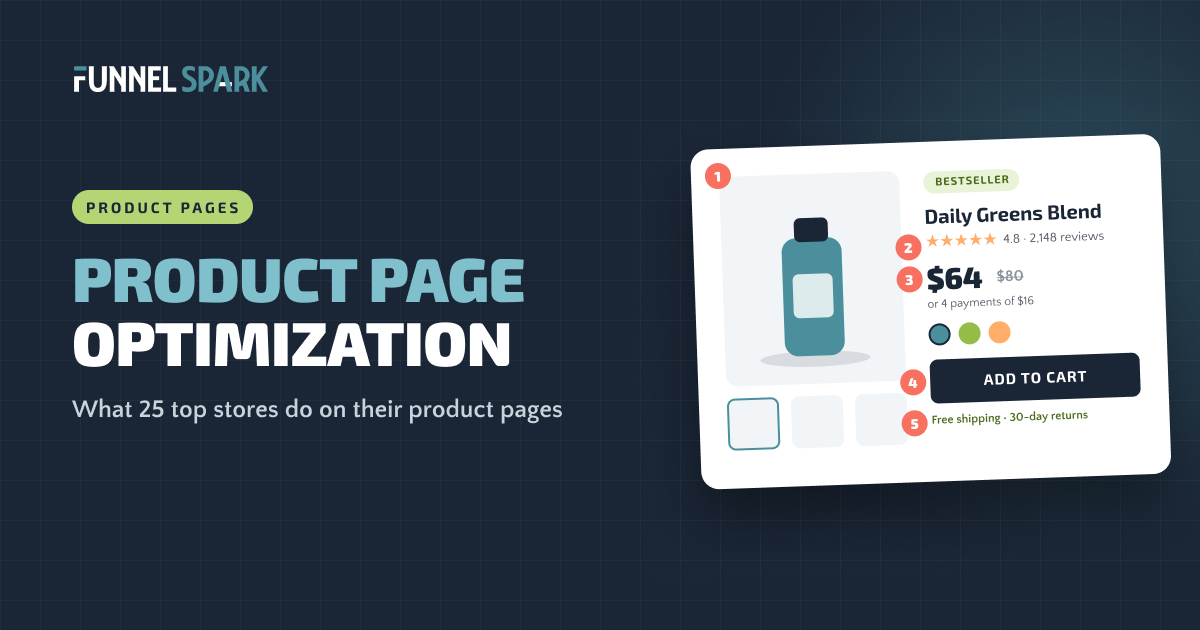
Top product pages share 5 things: clear photos on a plain background, reviews right on the page, a price that's easy to read, product details tucked into accordions, and an add to cart area that answers the last worries (shipping, delivery, returns, ways to pay). Of the 25 top stores we broke down, 23 show reviews on the product page and 21 shoot products on a plain background. Start with those, then test the buy box.
The 5 things top product pages share
The product page is where a shopper decides. They came from an ad, a search or your homepage, and now they're asking 3 questions: Is this the right thing for me? Can I trust it? What happens after I buy? A good product page answers all 3 before the shopper has to go looking.
Most stores don't. Baymard Institute benchmarked the product pages of 344 US and European sites and rated 51% of them “mediocre” or worse. So the bar is low, and a few fixes can put you ahead of most of your competitors.
To see what the best stores do, we went through the product pages of 25 top online stores, from Gymshark and Crocs to Fenty Beauty and Cambridge Satchel, and counted what each one does. Here's what came up again and again.
The anatomy of a high-converting product page
- Clear photos. Plain background, several angles, one in use. 21 of 25 top stores shoot on a plain background.
- Reviews on the page. Stars and review count where shoppers see them. 23 of 25 show reviews on the product page.
- An easy price. Real discounts crossed off, pay later for bigger prices.
- A buy box that answers worries. Shipping, delivery and returns right under the button.
- Details in accordions. One tap away, without an endless page. 16 of 25 use accordions.
Photos: plain background, many angles
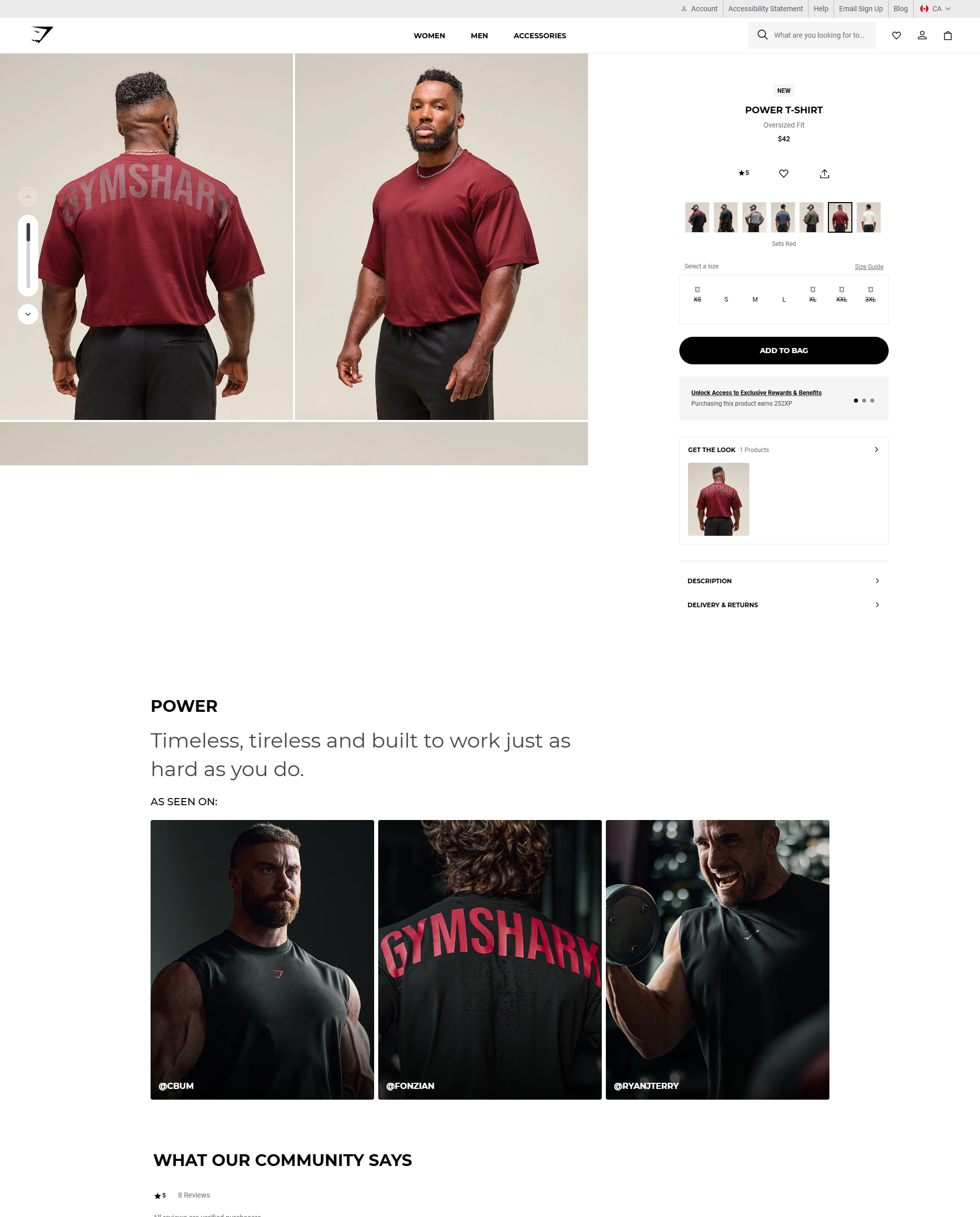
Shoppers can't touch your product, so the photos do the job of the store shelf. 21 of the 25 stores shoot their products on a plain background. No clutter, nothing competing with the product.
Then they add more photos that answer questions: the back and the sides, close-ups of the material, the product in use, and the product on a real person so shoppers can judge the size. 12 of the 25 use swatches, so shoppers can see each color without guessing from a tiny dot.
A quick test: show your main photo to a friend for 3 seconds. Can they tell you what it is and roughly how big it is? If not, the photos aren't doing their job yet.
Reviews: on the page, not on another page
top stores show reviews on the product page itself. It's the most common element in our breakdown, ahead of plain-background photos (21 of 25). Source: FunnelSpark's breakdown of 25 top online stores.
There's a good reason. The Spiegel Research Center at Northwestern University found that a product with 5 reviews is 270% more likely to be bought than a product with none. For higher-priced products, the lift was 380%. The first few reviews matter most.
The same research found that buying peaks at ratings between 4.0 and 4.7, then drops as ratings get close to a perfect 5. Shoppers don't trust perfection. So don't hide your 3-star reviews. They make the 5-star ones believable.
The best stores go further. Fenty Beauty puts the stars and reviews high on the page, where you see them before you scroll. Oh Polly adds fit ratings, so shoppers can see if a dress runs small before they pick a size.
How the price is shown
The price should be easy to find and easy to read. Here's what the top stores do:
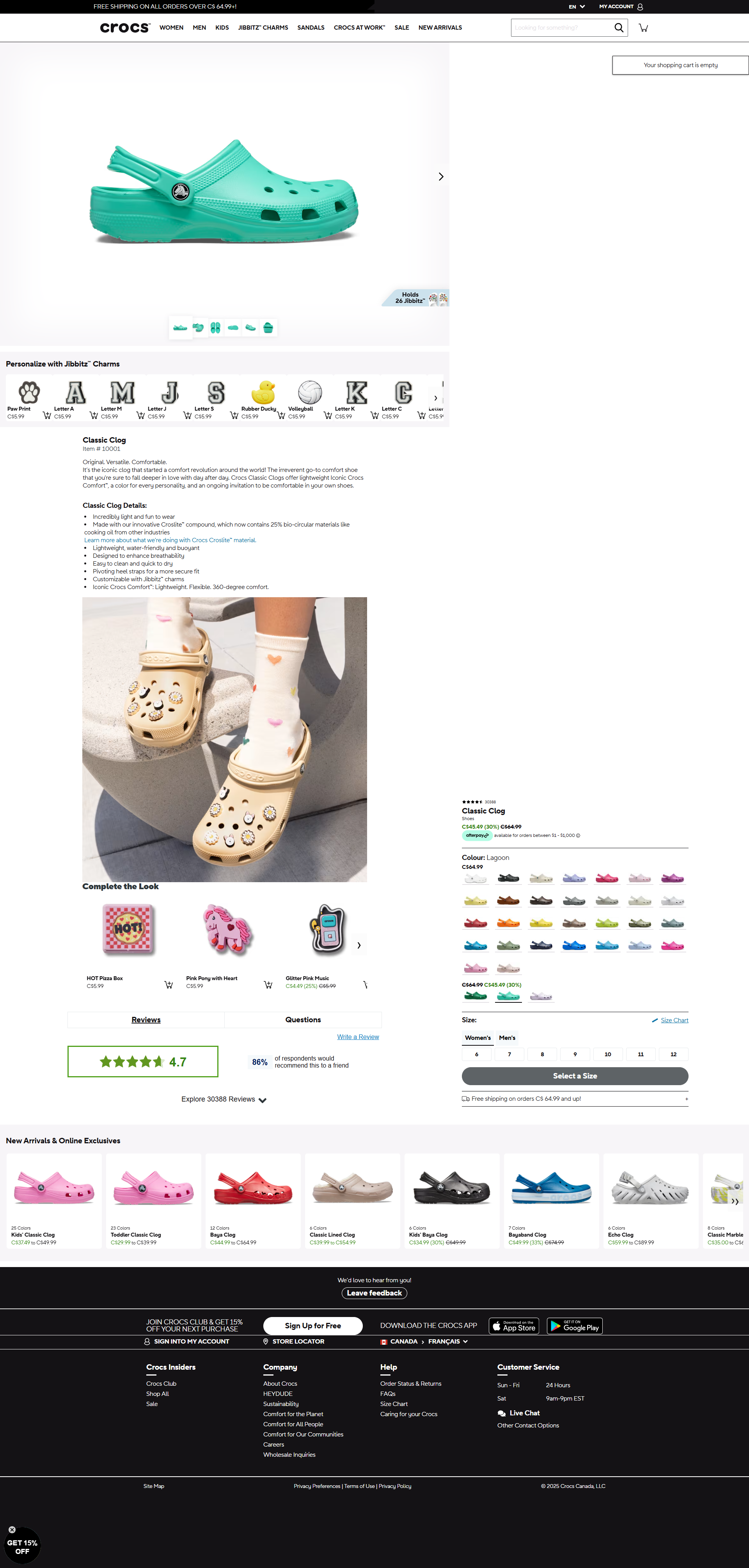
- They cross off the old price on real sales. 9 of the 25 show a crossed-off price. Crocs makes the sale price bold and green so the saving jumps out.
- They drop the cents. 8 of the 25 show prices like $42 instead of $42.00, including Gymshark, KEEN and Blueland. It's shorter and reads faster.
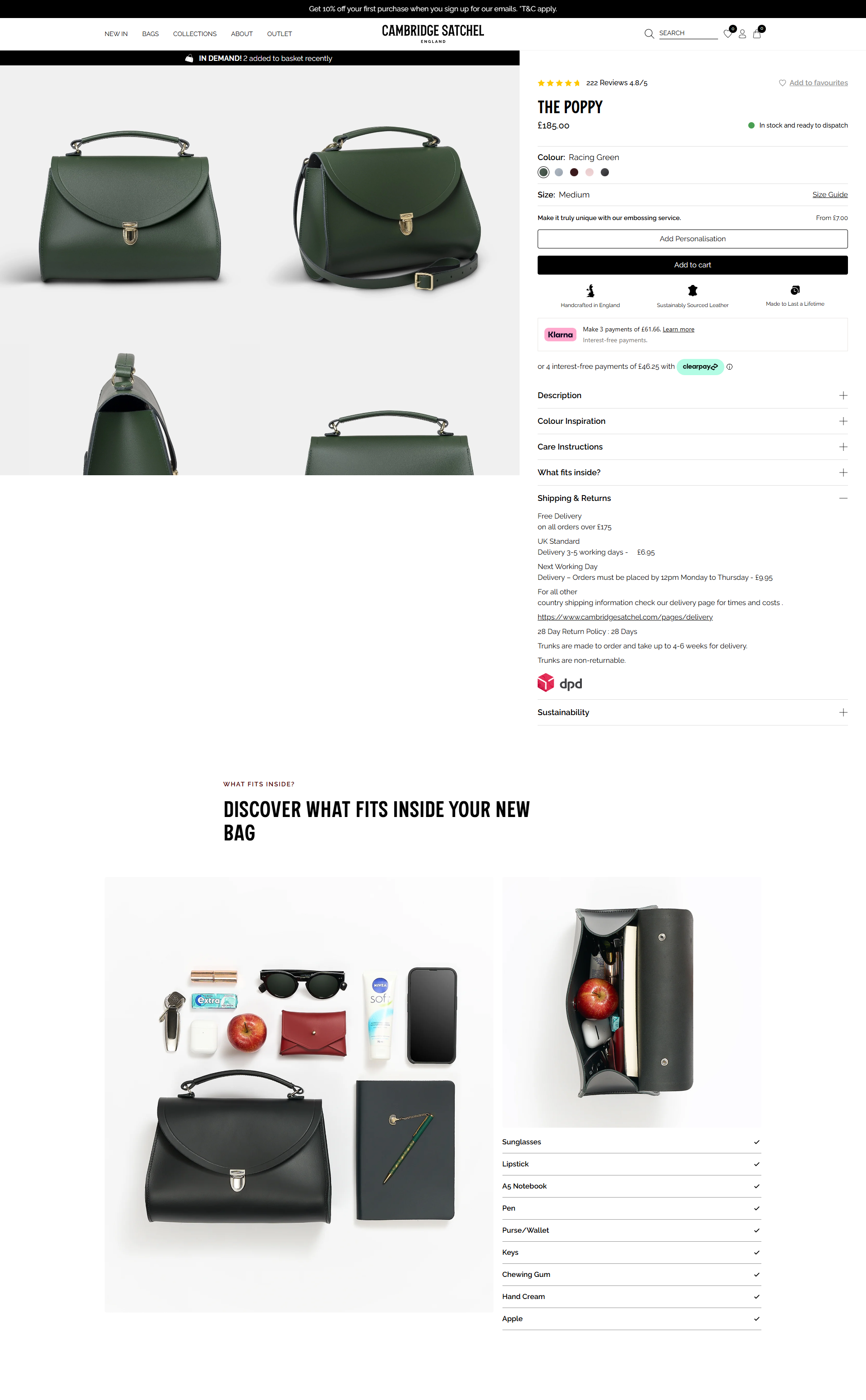
- They split the price into payments. 11 of the 25 offer pay later, and 9 of them say so on the product page, with a line like “or 4 payments of $16.” Cambridge Satchel and Steve Madden each show 2 payment plans.
Only cross off a price when the sale is real. A fake “was” price that never was is the fastest way to lose a shopper's trust, and in many places it can break advertising rules too.
Benefits, icons and accordions
Shoppers scan before they read. So lead with 3 to 5 short benefits in plain words, not a wall of text. A row of small icons works well for quick facts like “vegan,” “machine washable” or “free returns.”
Then put the rest one tap away. 16 of the 25 stores use accordions, the stacked sections that open when you tap them, for things like materials, care, ingredients and shipping. The page stays short, and the shopper who wants every detail can still find it.
Badges help shoppers decide too. 19 of the 25 use product badges like “New” or “Best seller,” which point people to safe choices. Only 8 use trust badges, like secure checkout logos. For clothing and shoes, 8 of the 25 link a size guide right next to the sizes, so shoppers don't have to leave the page to check.
The add to cart area: answer the last worries
The area around the add to cart button is the most important part of the page. This is where the shopper is ready, and where one unanswered question makes them leave.
“Most product pages don't lose the sale because of the product,” says Nicolas Fradet, founder of FunnelSpark. “They lose it on a question nobody answered. Will it fit? When will it arrive? Can I send it back? Put those answers right next to the button.”
Shipping, delivery and returns next to the button
9 of the 25 stores show shipping or delivery details before checkout, and 12 mention a guarantee or returns. KEEN shows delivery and returns details on the product page. Cambridge Satchel goes one step further: its delivery section is already open, so shoppers don't even have to tap. A short line like “Free shipping over $75 · Arrives by Friday · 30-day returns” under the button works well. If you're not sure where to set that $75, here's how to pick your free shipping threshold.
Stock signals, when they're true
9 of the 25 show stock signals, like “In stock and ready to dispatch” or “Only 3 left.” A real low-stock message gives shoppers a reason to buy now. A fake countdown does the opposite once people notice it.
A clear, safe-looking button
The add to cart button should be the most visible thing on the page, with a short label and nothing that looks like it competes with it. Quad Lock puts a small lock icon on its button, a quiet signal that buying is safe.
Sticky add to cart
Only 3 of the 25 stores use a sticky add to cart button, one that stays on screen as you scroll. That surprised us. On long mobile pages it's often worth a test, because shoppers who scroll down to read reviews have to scroll all the way back up to buy.
Product pages on mobile
For many stores, most visits come from phones. Check yours in Shopify Analytics by device type. Then open your own product page on your phone and look at it the way a new shopper would:
- Can you see the product, the price and the stars without scrolling? If the first screen is all logo and banner, shoppers start scrolling before they know what they're looking at.
- Can you swipe through the photos? Shoppers expect to swipe, and they expect to zoom.
- Can you pick a size and color with your thumb? Tiny swatches and dropdowns are easy to miss.
- How far is the button after you read the reviews? If it's far, test a sticky add to cart.
What to test first
Don't redesign the whole page at once. If sales go up or down, you won't know why. Fix the gaps first, then test the changes that need proof.
- Fix first, no test needed: missing reviews, missing shipping and returns info near the button, unclear photos, no size guide. These are basics almost every top store has.
- Test first: a sticky add to cart button on mobile, the shipping and returns line under the button, pay later messaging, the order of your photos, and showing your benefits above the fold.
- Test later: button colors and small wording changes. They rarely move sales on their own.
If shoppers add to cart but don't finish, the leak is further down. See our guides to reducing cart abandonment and Shopify checkout optimization. For the full store, from homepage to thank-you page, use our ecommerce CRO checklist. And if you're getting visitors but no orders at all, start with traffic but no sales.
Want to see what a better product page would be worth? Our revenue calculator shows what a higher conversion rate adds to your store's revenue.
FAQ
It's improving your product pages so more visitors buy. That usually means better photos, reviews on the page, a clear price, and shipping, delivery and returns info right next to the add to cart button, then testing changes to see what lifts sales.
Clear photos from several angles, the price, reviews, short benefits, size or color options, a clear add to cart button, and shipping, delivery and returns details. Longer details like materials and care can go in accordions.
Start with the basics most top stores have: reviews on the page, photos on a plain background, and shipping and returns info under the button. Then check the page on your phone and test bigger changes, like a sticky add to cart button, one at a time.
Show the star rating and review count near the product name, where shoppers see it before they scroll, and the full reviews lower on the page. 23 of the 25 top stores we broke down show reviews on the product page.
It can, mostly on long mobile pages, because shoppers don't have to scroll back up to buy. Only 3 of the 25 top stores we broke down use one, so test it on your store rather than assuming it will help.
Written by
Nicolas Fradet
Nicolas is the founder of FunnelSpark, an ecommerce CRO agency. He has spent 16 years finding out why shoppers don't buy, with 1,000+ A/B tests run and a 37% win rate. He wrote Stop Guessing. Start Converting.
Follow Nicolas on LinkedIn →Want us to find what's stopping your shoppers?
On a free 30-minute call, Nicolas looks at your store and shows you 3 growth opportunities, whether we work together or not.
Book your free call