Traffic but no sales? How to get more sales on Shopify
Why visitors leave without buying, how to find the leak in 30 minutes, and what to fix first.

By Nicolas Fradet, founder of FunnelSpark · 16 years in CRO, 1,000+ A/B tests
Updated Oct 28, 2026 · 8 min read
The short answer
When a Shopify store gets traffic but no sales, the traffic is rarely the real problem. It's usually the wrong visitors, a store that hasn't earned their trust, or friction between the product page and checkout. Check where your traffic comes from, then use your Shopify reports and a few session recordings to find the biggest leak. Fix that one first.
How many visitors does it take to get a sale?
Shopify puts the average ecommerce conversion rate at about 2%. That means an average store makes about 2 sales for every 100 visitors. New stores with no reviews and no brand name often start lower, around 1%.
So a few hundred visitors with no sales can be bad luck. But not for long. Here's the chance of getting zero sales by pure luck, at those 2 conversion rates:
Chance of zero sales, if nothing is wrong with your store
| Visitors | Store converts 1% | Store converts 2% |
|---|---|---|
| 100 | 37% | 13% |
| 200 | 13% | 2% |
| 300 | 5% | under 1% |
| 500 | under 1% | almost 0% |
If you've had 300 or more real visitors and no sales, it's almost certainly not bad luck. Something in the traffic, or on the site, is stopping people.
First, check you're getting the right traffic
Before you change anything on your store, make sure real buyers are showing up. A store can't sell to bots, or to people who clicked a cheap ad by accident.
In Shopify, go to Analytics and open the sessions reports. Look at where visits come from (the referrer or channel) and where visitors are located. Then look for these warning signs:
- One source sends most of your visits and none of them add to cart. That source is the problem, not your store.
- Visits from countries you don't ship to, or lots of sessions that last a second or two. That's often bot or junk traffic.
- Ads that run on apps and games, like Meta's Audience Network. Those placements bring cheap clicks that rarely buy.
- A viral post. Thousands of views from people who were entertained, not shopping.
Now look at the good news side. If visitors view several products, add items to cart and start checkout, the traffic is fine. The leak is on your store. Keep reading.
The 7 most common leaks, from homepage to checkout
These are the leaks we see most often when a store gets visitors but no orders. They're in the order a shopper meets them.
1. The first screen doesn't say what you sell, or why you
Visitors decide in a few seconds whether they're in the right place. A big lifestyle photo with a vague slogan doesn't tell them. Say what you sell and who it's for, in plain words. Then help them pick a path: 20 of the 25 top stores we broke down use photo tiles or buttons on the homepage, like "Shop women" and "Shop men," so shoppers sort themselves.
2. Shoppers can't find the right product
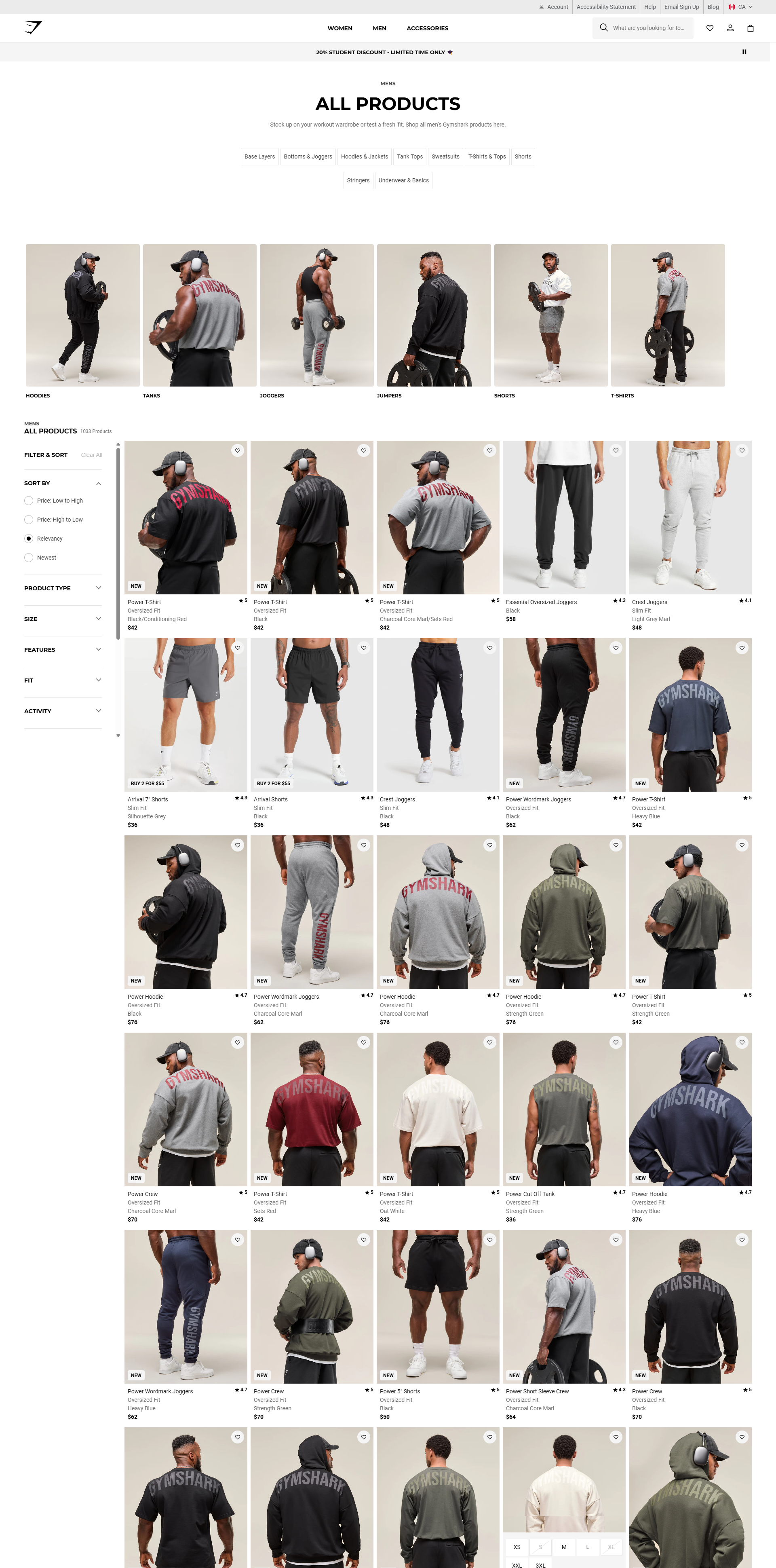
Menus named after your internal categories, no search bar, and long collection pages with no way to narrow them down. If people can't find it, they can't buy it. 21 of the 25 top stores we broke down let shoppers filter or sort their collection pages. Abbott Lyon and Blueland also put their key collections right in the main menu, instead of a single "Shop all" link.
3. The product page doesn't answer their questions
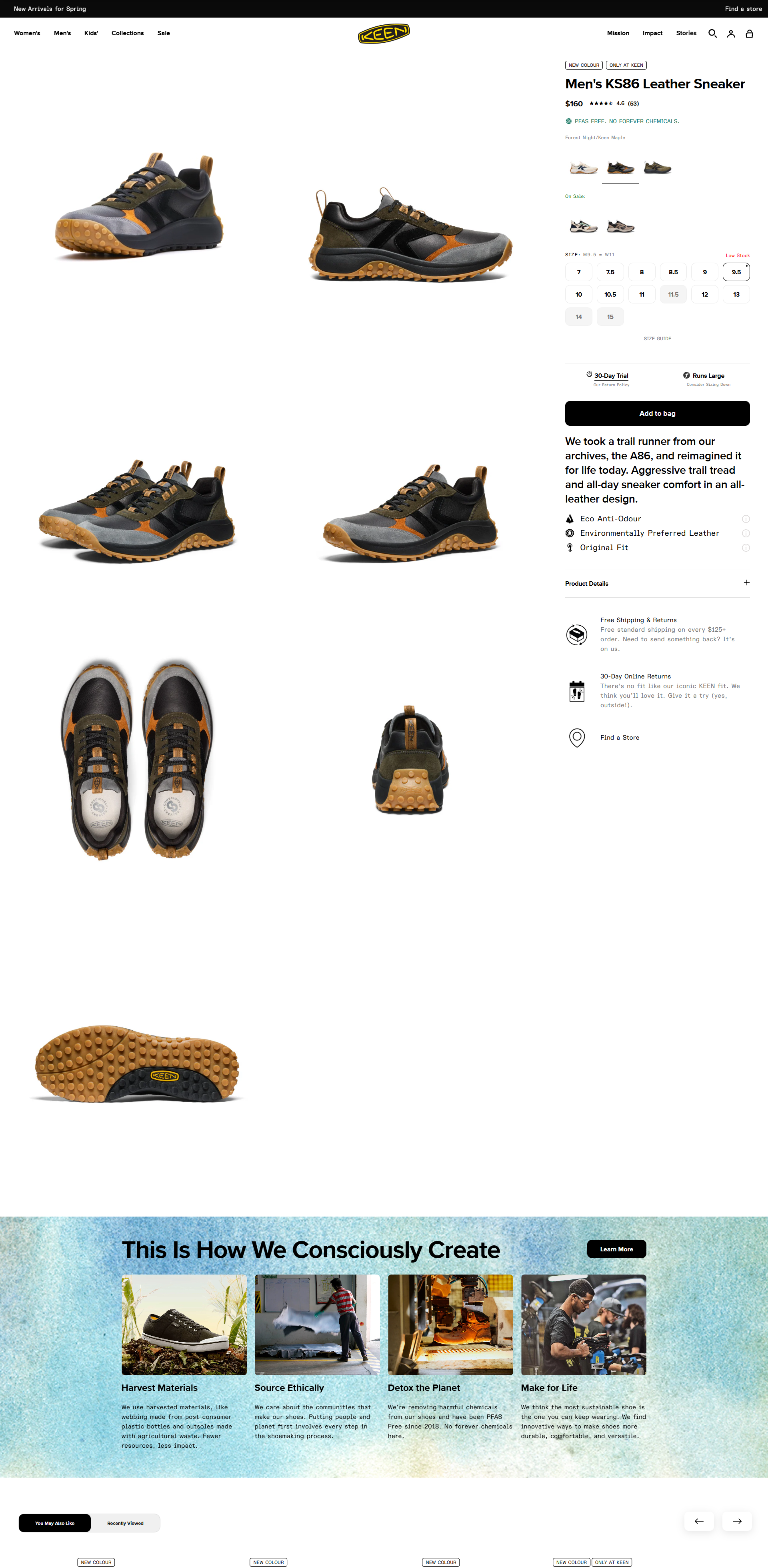
Every unanswered question is a reason to leave. What's it made of? Will it fit? When will it arrive? Can I return it? Answer these right on the page: clear photos (most top stores shoot on a plain background), a size guide if size matters, benefits before features, and shipping and returns info near the add to cart button.
4. Nothing shows that other people bought
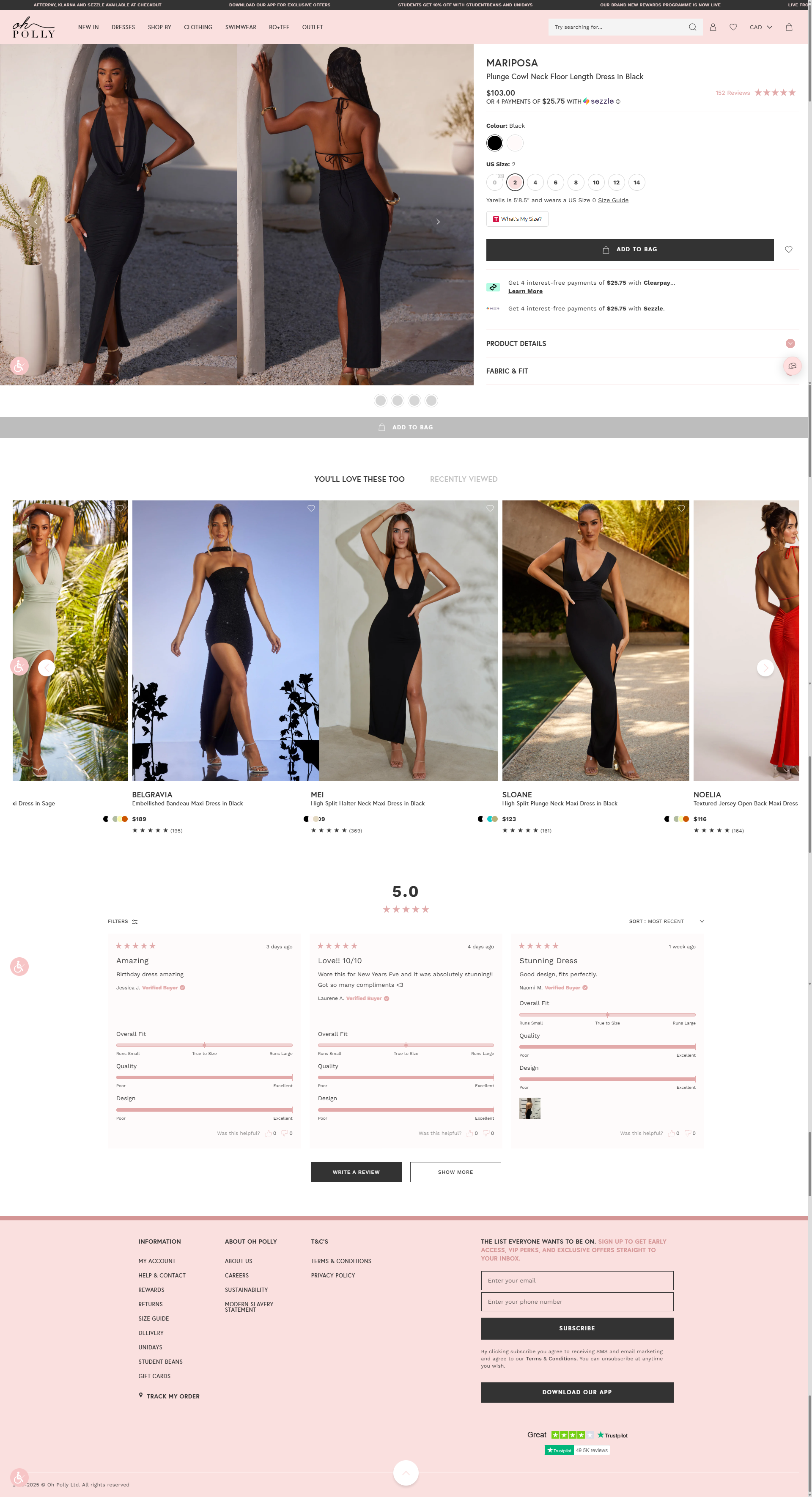
Nobody wants to be the first customer. 23 of the 25 top stores we broke down show ratings and reviews on the product page. Oh Polly even adds sub-ratings like "overall fit" to answer the sizing worry. No reviews yet? Email your first buyers and ask for one, show photos from real customers, and add any press mentions you have.
5. There's no reason to trust a brand they've never heard of
A new visitor is asking, "Is this store real? What if it goes wrong?" Show a clear returns policy or guarantee, a real contact page, and an about page with faces. 12 of the 25 top stores we broke down make a guarantee or returns promise. In Baymard Institute's checkout research, 19% of shoppers who abandoned an order said they didn't trust the site with their card details.
6. The total price surprises them
This is the biggest one. Extra costs like shipping, taxes and fees are the top reason shoppers abandon checkout: Baymard found 40% of those who left named them. Show shipping costs early, on the product page and in the cart. If you offer free shipping over a certain amount, say so everywhere. Here's how to set your free shipping threshold.
7. Checkout makes them work too hard
In Baymard's research, 18% of shoppers who abandoned an order left because the site wanted them to create an account, and 17% because checkout was too long or complicated. Let people check out as guests, and turn on fast ways to pay like Shop Pay, Apple Pay, Google Pay and PayPal. 24 of the 25 top stores we broke down offer several ways to pay. More on this in our Shopify checkout guide.
of shoppers who abandon checkout leave because of extra costs like shipping, taxes and fees. It's the number 1 reason. Source: Baymard Institute, checkout abandonment research.
How to find your biggest leak in 30 minutes
You don't need to fix all 7 leaks. You need to find the one that's costing you the most. Here's how we'd do it.
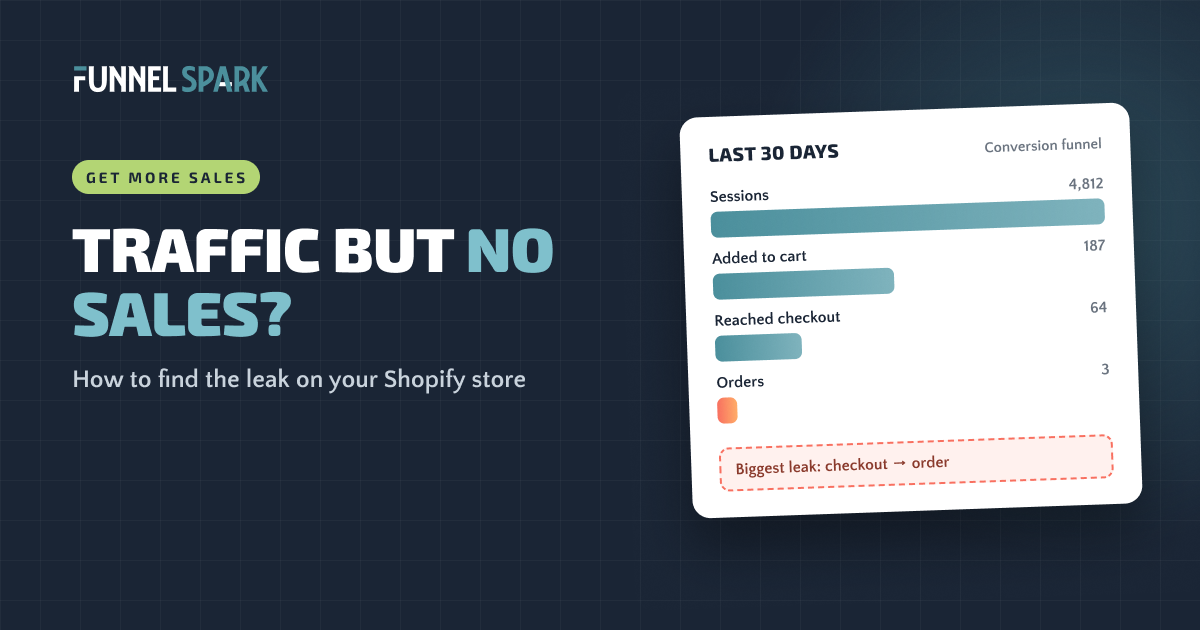
- Open your conversion funnel (5 minutes). In Shopify Analytics, the conversion rate breakdown shows how many sessions added to cart, reached checkout and completed checkout. Look at the last 30 days.
- Find the biggest drop (5 minutes). Use the chart below to see what that drop usually means.
- Watch 15 to 20 session recordings (15 minutes). Microsoft Clarity is free and connects to Shopify in a few minutes. Watch visitors at the stage where most people drop. Look for people scrolling up and down hunting for something, tapping things that aren't buttons, or leaving from the same spot.
- Buy from your own store on your phone (5 minutes). Time it from homepage to order. Write down every moment you hesitate or have a question.
Where shoppers drop, and what it usually means
If a lot of shoppers leave at the cart, our guide on how to reduce cart abandonment goes stage by stage.
What to fix first
Once you know where people drop, fix things in this order.
- Fix the stage with the biggest drop. Not the page you like least. The numbers decide.
- Start with fixes that remove a worry. Showing shipping costs early, a clear returns policy, reviews and more ways to pay are cheap and fast, and they answer the questions that stop people.
- Don't redesign the whole store. A redesign changes 50 things at once. If sales go up or down, you won't know why.
- Once your traffic is steady, test instead of guessing. Of the 1,000+ A/B tests we've run, 37% won. That's well above the industry average of about 15%, and it still means most ideas that look good don't lift sales.
"When a store gets traffic but no sales, the first instinct is to buy more traffic," says Nicolas Fradet, founder of FunnelSpark. "But more visitors in a leaky store just makes the leak more expensive. Fix the leak, then turn up the traffic."
Want to see what fixing it would be worth? Our revenue calculator shows what a higher conversion rate adds to your store's revenue.
FAQ
At a typical 1% to 2% conversion rate, you'd expect your first sale within the first 100 to 300 real visitors. If you've had more than 300 and no sales, look for a problem with your traffic or your store.
Something in the cart or checkout is stopping people. The usual causes are a surprise shipping cost, forced account creation, too few ways to pay, or not enough trust. Watch session recordings of shoppers who added to cart to see where they stop.
For the first few days and the first 100 or so visitors, yes. After that, no sales usually means the wrong traffic or a store that doesn't answer shoppers' questions.
Not yet. Find and fix the biggest leak first. More traffic into a store that doesn't convert just costs more.
Shopify puts the average ecommerce conversion rate at about 2%. Rather than chasing an average, compare your store to itself over time and by traffic source.
Written by
Nicolas Fradet
Nicolas is the founder of FunnelSpark, an ecommerce CRO agency. He has spent 16 years finding out why shoppers don't buy, with 1,000+ A/B tests run and a 37% win rate. He wrote Stop Guessing. Start Converting.
Follow Nicolas on LinkedIn →Want us to find what's stopping your shoppers?
On a free 30-minute call, Nicolas looks at your store and shows you 3 growth opportunities, whether we work together or not.
Book your free call